

Punktfunk v0.1.2 by punktfunk
Client for Punktfunk game and desktop streaming: play games or use the desktop of a PC host on the PS5, up to 4K at 120 Hz with HDR10
Install on your PS5
App folder (.zip): unzip PPSA99724.zip and copy the PPSA99724 folder to /data/homebrew/ on the PS5, over FTP or from a USB drive. Some apps also need their title ID added to etaHEN's app list: the release notes say.
Files
| File | Size | SHA-256 | |
|---|---|---|---|
| PPSA99724.zip | 20.3 MB | f205dd33…405c | Download |
Screenshots

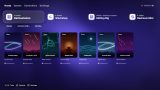
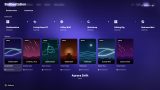
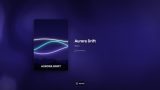
About Punktfunk
Streams games and the desktop from a Punktfunk host on your network to the PS5. H.264 and HEVC decode on the console's own decoder and PyroWave on its GPU, up to 3840x2160 at 59.94 or 119.88 Hz, with HDR10 when the TV shows HDR and the host sends it. DualSense rumble, adaptive triggers and the light bar work, one controller per signed-in user, with stereo sound.
Hosts on the same network are listed by themselves. Add any other by its IP address, as host names don't resolve on the console. Pair by requesting access and approving the console under Devices in the host's web console, or with a PIN from Pair a device. Then pick the desktop or a game from the host's library.
- Hold the touchpad click and press Cross: the quick menu
- Hold L1 + R1 + Options + touchpad click for a second: end the stream
You need Punktfunk 0.47 on the PC you stream from, and a title loader such as ShadowMountPlus. Copy the PPSA99724 folder from the zip to /data/homebrew/. Surround sound, DualSense haptics, keyboard and mouse and VRR aren't in yet. The author calls it an early release. The developer lists firmware 13.42.
Release notes
v0.1.2 · Nov 15, 2026
Works with Punktfunk 0.47 hosts.
Changed
- The zip holds the
PPSA99724folder and nothing else. The license texts moved into the folder, so a homebrew store can install the zip as it is. - The console sees each release as an update. The title's content version now rises with every release; this one is
01.001.002.
What it does
- Streams games and the desktop from a Punktfunk host, up to 3840×2160 at 120 Hz. H.264 and HEVC decode on the console's own decoder, PyroWave on its GPU.
- HDR10 when the TV shows HDR and the host sends it.
- Hosts, pairing, game libraries and settings, driven by the controller.
- DualSense rumble, adaptive triggers and light bar, one controller per signed-in user.
This is a pre-release. Earlier builds streamed on a tester's console (firmware 13.42); this exact build has not run on one yet. Not in it yet: surround sound, DualSense haptics, keyboard and mouse, VRR.
Install or update
- Download
PPSA99724.zipbelow and extract it. - Close Punktfunk on the console if it is running.
- Upload the whole
PPSA99724folder to/data/homebrew/with any FTP client, so that/data/homebrew/PPSA99724/eboot.binexists. Your paired hosts and settings are kept. - A new install appears on the home screen once your title loader has picked it up.
The install guide has the first stream, removing and what to do when something goes wrong.
Feedback
Reports from other firmwares, loaders and TVs are what this client needs most: open an issue or ask on Discord.
Licence
The source is MIT OR Apache-2.0. This binary links GPL-3.0-or-later code from PS5_Vulkan and PS5_PayloadSDK, so the binary is GPL-3.0-or-later: COPYING and the notices are in the title folder. Its source is this repository at this tag and the revisions `scripts/pins.env` names.