
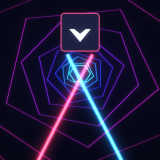
Pulse v01.000.001 by shwan-ps5
Beat Saber-style rhythm game for PS VR2 and the Sense controllers that turns any MP3 into note maps on four levels
Install on your PS5
App folder (.zip): unzip Pulse-01.000.001.zip and copy the PPSA99993 folder to /data/homebrew/ on the PS5, over FTP or from a USB drive. Some apps also need their title ID added to etaHEN's app list: the release notes say.
Files
| File | Size | SHA-256 | |
|---|---|---|---|
| Pulse-01.000.001.zip | 12.3 MB | 243fddf6…b0e9 | Download |
Screenshots
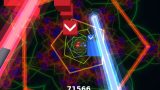
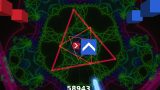
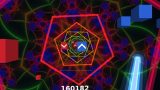
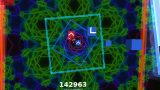
About Pulse
Give it an MP3 and it finds the tempo, beats, build-ups and drops, and cuts Easy, Medium, Hard and Extreme maps from it on the console in a few seconds. Easy has dots you can cut any way, Medium has lines, Hard has arrows you cut the way they point, and Extreme adds more blocks and pairs. The backgrounds and bloom follow the music. One song, Neon Run, made by the developer, comes with it.
Options has maps for one hand, a seated mode, smaller play areas, colour-blind and high-contrast palettes and a hand swap. Demo on the title screen plays a random song by itself. R3 centres the menu if it starts off to one side. The PS5 still wants both Sense controllers on before a VR title runs, and their rumble doesn't work yet.
Keep your MP3s outside the game folder, since an update replaces it. On USB, put them in a songs folder at the top of the drive. On internal storage, copy them by FTP while Pulse is running to /mnt/sandbox/PPSA99993_000/download0/songs/, which holds about 250 MB. Then choose Options, Rescan Music.
It needs ShadowMountPlus. The headset code uses firmware 13.60 offsets, and on other firmware it starts in a flat TV view. The author calls it a beta, so far used on one PS5 with a PS VR2.
Release notes
v01.000.001 · Pulse 01.000.001 (beta) · Nov 9, 2026
Fixes "No songs found" when Pulse is installed on the console's internal storage (issue #1). Internal storage is where ProsperoStore installs by default, and a USB drive is no longer needed.
Changes
- Songs are now found on internal installs (
/data/homebrew/PPSA99993) as well as USB. Tested on one PS5 from both. - If the folder cannot be listed, the game now falls back to
index.txtas intended.
Where to keep your own music
Keep it outside the game's folder. A store update replaces the whole PPSA99993 folder (the old one is kept in prosperostore/previous only until the next update) and an uninstall deletes it. If you have added songs to assets/songs, move them before updating.
- Running from USB: a
songsfolder at the top of the drive, for example/mnt/usb0/songs. - Running from internal storage: while Pulse is running, FTP them to
/mnt/sandbox/PPSA99993_000/download0/songs. This space is limited to about 250 MB.
Then choose Options, Rescan Music.
Known limits
- The headset code uses firmware 13.60 offsets only; on other firmware Pulse starts in the flat TV view
- Sense controller haptics are not available yet
- The PS5 still needs both controllers connected and charged, even for one-handed play
Install: install from ProsperoStore, or unzip and copy the PPSA99993 folder to /data/homebrew/PPSA99993 (or a USB drive, for example /mnt/usb0/PPSA99993), start the jailbreak, mount it and launch Pulse.
SHA-256 of Pulse-01.000.001.zip: 243fddf6375a961e3049ea636e66b39db6844c493a805fe15d339f7fb539b0e9