
PSFlyCast v1.4.1 by Press5elect
Flycast as a native PS5 app for Dreamcast, NAOMI, NAOMI 2 and Atomiswave, with a Big Picture-style library, network shares, a memory card manager and netplay
Install on your PS5
App folder (.zip): unzip PSFlyCast-v1.4.1.zip and copy the PPSA99247 folder to /data/homebrew/ on the PS5, over FTP or from a USB drive. Some apps also need their title ID added to etaHEN's app list: the release notes say.
Files
| File | Size | SHA-256 | |
|---|---|---|---|
| PSFlyCast-v1.4.1.zip | 21.4 MB | 6e10af5f…cea2 | Download |
Screenshots


About PSFlyCast
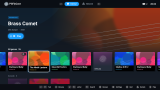
An unofficial port of Flycast, built on its dev branch, as a home-screen app with a controller-only interface in the style of Steam's Big Picture mode. The emulator's Vulkan renderer draws through RADV. It plays Dreamcast, NAOMI, NAOMI 2 and Atomiswave games, with internal resolution above 6x, FSR 1 upscaling, per-pixel transparency, frame generation and 120 Hz output on a display that takes it.
No games, BIOS files or keys are included. Copy the PPSA99247 folder to /data/homebrew/, start PSFlyCast once ShadowMountPlus has registered it, and put your games (.chd, .gdi, .cdi or .cue, and .zip or .7z for the arcade boards) in its games/ folder. Square scans for them. Dreamcast games start on the emulator's built-in BIOS, but your own dc_boot.bin and dc_flash.bin in bios/ are more compatible. NAOMI and Atomiswave games need their BIOS zips, such as naomi.zip and awbios.zip.
Games can also come from an SMB share set in network.cfg, or from USB drives once Settings, Library, USB drives is on. USB drives need elfldr on port 9021, which PSFlyCast sends a sandbox helper to. There's a memory card manager, ten save state slots, rewind, cheats from the libretro database's Dreamcast set (included), RetroAchievements in softcore mode, Flycast's netplay and the games' own online modes through DCNet. Updates install from Settings, About.
The author hasn't run 1.3.5 on a console yet. A test build of 1.3.4 ran games, and some parts, online play among them, are marked as not yet seen working on a PS5.
- Touchpad click: quick menu (save states, discs, cheats, controls, quit)
- Triangle in the library: game details
- R3 in the library: search
- OPTIONS in the library: settings
- L3 / R3 in arcade games: insert coin / service
Release notes
v1.4.1 · PSFlyCast v1.4.1 · Nov 16, 2026
New in v1.4.1 - hotfix update
Changed
- Faster to move through: a held direction speeds up in the Settings' lists and search, a held range speeds up (5 steps, then 25), and L2 / R2 step on while held (letters, pages). A game's page no longer draws the library under it, and the new screens' shadows cost about half the drawing.
- Cross changes a choice or a range in the Settings, as before v1.4.0.
Fixed
- A crash on leaving a game's own options (quick menu > Game options).
- Home empty on start ("Nothing played yet") until the Library had been opened.
- A crash from Home's Game Page after the library's games changed (a drive removed).
- Covers stretched on a game's page and in the quick menu; the cover list failing to download no longer marks games without a cover for 30 days.
- Pinned, changed and search now include the Settings' rows the table does not name (network folders, a game's patches); OPTIONS closes the Settings from the search too; Triangle opens the keyboard and shows results only once something is typed; L1 / R1 no longer change the hidden level in a game's options; "all back" (Square twice) is asked afresh at each opening.
- Home at other UI Scaling settings, the quick menu's Controls picture at 120 %, "Empty slot" shown for a state whose picture was loading, a disabled entry looking enabled, arrows on entries that open no page, a long pin's name split in two, the restart notice over the hints.
Your settings, saves and games are kept when this version is installed over an earlier one.
Not run on a console before this release: v1.4.1's fixes and faster menus. If a menu feels slow, flycast-boot.log now says which screen and by how much (ui: lines): please attach it to an issue.
Install or update
- Copy the
PPSA99247folder from the ZIP to your homebrew folder on the console (/data/homebrew/), over an older one if you have it, or update from Settings > About > Check for updates. - Your own games in
games/(or on a USB drive or a network share), your own BIOS inbios/. None included, none ever will be. - Read
LEGAL.txtandREADME.mdin the folder. Shaders are compiled again once after the update.
Reporting problems
Open an issue with flycast-boot.log from the title folder, copied before PSFlyCast is started again. Never attach games, BIOS files, firmware or keys.
Source
This ZIP was built from this release's tag. The source of every part is public: this repository at the tag (the port, its interface, Flycast and the libraries it carries, its own patches to Mesa's RADV in shell/ps5/mesa/, and shell/ps5/build-radv-psflycast.sh, which makes the driver), Crux2's driver patches at `08c3507a3ac3`, PS5_Mesa at `1ba9874f4786`, and every other part at the revision licenses/README.txt and licenses/components.json in the ZIP name. The app as a whole is distributed under the GPL, version 3, with the additional terms in licenses/psflycast/ADDITIONAL-TERMS.txt: keep the credit to Press5elect.
Build
Component | Version
-- | --
PSFlyCast | c64f038d6 (build 110)
Flycast | dev at 63e7d91a4 (14 November 2026)
RADV | Mesa 27.0-devel (PS5_Mesa 1ba9874f478 with Crux2's ps5/patches/mesa-27, four more PS5 Mesa commits and OGBox's HDR10 patch, as shell/ps5/mesa/0003 to 0007), tree 1b430d43f3ac
PS5_Vulkan | 7f492b4
PS5_PayloadSDK | 3345cde (v0.45; RADV compiled with b83202b)
libsmb2 | 177a9de
FFmpeg | n9.0.2
mbedTLS | v3.6.7
ZIP SHA-256: 6e10af5f04b89626c286bf64d3fa10b777325e055dec0e26fdf2cecfa499cea2