

PSCloud v0.34.28 by bc160201983
Backs up PS5 saves to your own WebDAV cloud or a USB drive, syncs them between your PS5s and shares them, all from a browser
Install on your PS5
Payload: start elfldr 0.25 or newer on the PS5 first. It listens on port 9021. Then press Send to PS5 beside the file under Files, on a computer or phone on the same network. elfldr downloads the payload and runs it, so the PS5 needs to be online.
Files
| File | Size | SHA-256 | |
|---|---|---|---|
| pscloud-dashboard.elf | 9.8 MB | 4298b70e…d271 | Send to PS5 Download |
Screenshots
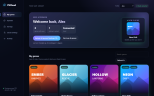


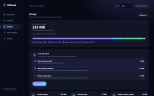
About PSCloud
PSCloud is one payload. Send pscloud-dashboard.elf to the ELF loader on port 9021 and open http://<PS5-IP>:8082 in a browser on a phone, tablet or computer. Each PS5 profile has its own view of its games, uploads and sync links.
Backups run when a game has really closed, every night at an hour you choose, or for all games at once, and unchanged saves are skipped. Slots show the console's own labels and pictures. Versions go to your own WebDAV storage over HTTPS (Nextcloud, ownCloud, Koofr, pCloud, Box, Yandex Disk, Synology or QNAP), locked with a password of your own if you like (AES-256), or to an exFAT USB drive. Dropbox, Google Drive and SMB shares aren't supported.
Two PS5s on the same network can find each other and sync with no cloud at all, or go through the cloud. Each game says which console has the newer save, with buttons to get it or send yours, and Sync this game keeps one game in step on both. Share exports a game's progress as a ZIP that another PS5, on any firmware, can take in, and the receiving console keeps its own save keys. Writing a save the console doesn't have yet is marked experimental, and PS4 saves aren't supported yet.
Restores and replaces only run on a closed game, through a temporary copy first, and a rollback copy of your current save is kept. Everything PSCloud keeps is in /data/pscloud, and the Storage page shows what takes the space. The page has no password, so never open ports 8082 or 8083 to the internet.
The developer has run it on firmware 7.00 and 11.40 and lists 1.00 to 13.60 as supported. From 0.34.28 it updates itself from Cloud settings, Updates.
Release notes
v0.34.28 · PSCloud 0.34.28 · Oct 15, 2026
Update PSCloud from the PS5 itself. Everything new since 0.31.0 is in the 0.34.25 release.
Updates over the internet
Go to Cloud settings → Updates.
- Checks for new versions: PSCloud checks for the newest published release when it starts and once a day (you can switch this off), or when you press Check for updates.
- Tells you once: a new version shows one PS5 notification and a banner on every page, with its release notes.
- Download keeps the file only if its SHA-256 matches the release's
SHA256SUMS.txt. - Install now sends it to the ELF loader on your PS5 (port 9021). The new version takes over, and the page reloads when it's running.
- No ELF loader running? Then nothing can start a new payload. The update is kept, and Save to PC gives you the file to send yourself. Every download is also saved as
/data/pscloud/pscloud-dashboard.elf, so an autoloader that starts PSCloud from that file runs the new version at the next boot. - Only published releases are offered, never drafts or pre-releases.
Note: this release is the first with the updater. Install 0.34.28 the usual way once; after that, PSCloud updates itself.
Also new
- Trusted certificates built in:
/data/pscloud/ca.pem(needed for HTTPS) is written automatically when it's missing. You no longer copypscloud-ca.pemby hand. - Fixed: cleanup of old
/data/pscloud*files could move a/data/pscloud-dashboard.elfthat an autoloader starts PSCloud from..elffiles now stay where they are.
Tested
- On a PS5 (firmware 7.00): a test copy labelled 0.34.26 updated itself to the published 0.34.27 through the page:
- Check for updates found the release.
- Download stored the file and verified it; it matched the published ELF byte for byte.
- Install now made the console switch versions on its own.
- The certificate bundle was installed automatically on a console that didn't have it.
- Automated tests: check, refusing a wrong checksum, the autoloader copy, Save to PC, sending to the loader, no loader, up to date, and the daily switch.
- Not yet tried: firmware 11.40 and 13.60.
Install
- Send
pscloud-dashboard.elfto your PS5's ELF loader on port 9021. If an older PSCloud is running, the new one takes over. - Open
http://<your-PS5-IP>:8082in a browser.
Files
| File | What it is |
|---|---|
| pscloud-dashboard.elf | The PSCloud dashboard, the only file most people need |
| pscloud-dashboard-0.34.28.zip | The dashboard with its guide (DASHBOARD.md) and CA bundle |
| pscloud-share-0.34.28.zip | Standalone share payloads (SHARING.md) |
| pscloud-recovery-0.34.28.zip | Standalone cloud download and restore payloads |
| pscloud-upload-0.34.28.zip | Standalone uploader with WebDAV setup guide |
| pscloud-backup-0.34.28.zip | Standalone backup payload |
| SHA256SUMS.txt | Checksums for every file above (the updater uses it) |
Built by GitHub Actions from commit b85b99c.