

ps5upload v10.7.6 by phantomptr
Sends games, apps and files from a computer or phone to the PS5, with resumable uploads, a file browser and Remote Play
Install on your PS5
Payload: start an ELF loader on the PS5 first, such as elfldr, which listens on port 9021. Then open this address in a browser on a computer or phone on the same network, with your PS5's address in place of PS5. elfldr downloads the payload and runs it.
http://PS5:9021/?uri=https%3A%2F%2Fstore.brewology.com%2Fdl%2F11544%2Fps5upload-10.7.6.elf
Files
| File | Size | SHA-256 | |
|---|---|---|---|
| ps5upload-10.7.6.elf | 6.3 MB | 35405380…35e0 | Download |
Screenshots

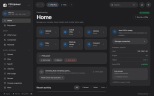
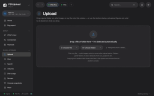
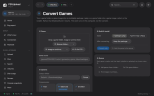
About ps5upload
A helper payload on the PS5 works with the PS5 Upload app on macOS, Windows, Linux, Android or a sideloaded iPhone, or with a self-hosted web version in Docker. Uploads go over one encrypted connection on port 9120 and pick up again after a dropped connection or rest mode. Archives in .zip, .7z and .rar are unpacked on the way, and a job that won't fit is refused before it starts. The developer lists firmware 1.00 to 14.10.
Drop packages, folders or disk images on Upload & Install and it works out what each one is. The app also browses and manages files and saves, starts and closes installed games, and can put the console in rest mode, reboot it or wake it over the network.
Remote Play runs inside the app or a browser at 1080p or 720p, with a controller, the keyboard or on-screen buttons on a phone. A setup page in Accounts goes through what the console needs, and gives you a PIN for Sony's app or chiaki-ng if you'd sooner use those.
The helper also serves a page to the PS5's own browser on port 9180, with a home screen tile, for doing most of this with no computer nearby. 21 languages.
Drop packages, folders or disk images on Upload & Install and it works out what each one is. The app also browses and manages files and saves, starts and closes installed games, and can put the console in rest mode, reboot it or wake it over the network.
Remote Play runs inside the app or a browser at 1080p or 720p, with a controller, the keyboard or on-screen buttons on a phone. A setup page in Accounts goes through what the console needs, and gives you a PIN for Sony's app or chiaki-ng if you'd sooner use those.
The helper also serves a page to the PS5's own browser on port 9180, with a home screen tile, for doing most of this with no computer nearby. 21 languages.
Release notes
v10.7.6 · Nov 3, 2026
- Saved cheats and patches are applied the moment a game starts (For #627). Some patches only work if they are in place before the game reads the setting they change, which it does once in its first seconds: Red Dead Redemption 2's "Unlock FPS" patch is one. The helper used to look for a running game every 3 seconds, so it wrote such a patch 3 to 9 seconds in: it read back as applied and did nothing. Now the helper hears the game start and, for its first minute, tries the cheats still waiting for the game's code every few milliseconds, so they land as soon as the code is there. With the engine on and no game running, it also looks for a game every half second, in case it missed a start.
- A cheat that landed late says so. When a saved cheat was applied more than about 3 seconds after the game started, or after a start the helper didn't see (it was sent while the game was already running, or the engine was turned on mid-game), the line under its switch says "Applied N s after the game started — if it has no effect, restart the game with it on." In the apps and on Minion's Cheats page.
- Timings in the helper's log, for a bug report: when the game started, when its eboot.bin loaded, each cheat's waits, and "applied 180 ms after launch (code ready at 150 ms)".
- A PS4 game's DLC is no longer listed as a second copy of the game. For #638. Some DLC packages, mostly the small ones that only unlock something already in the game, have no data of their own, and the library did not recognise that kind of package, so it counted it as the game itself and marked the game as a duplicate. These are now recognised as DLC, a package's own "this is DLC" note is believed even when its header says otherwise, and two items only count as the same game stored twice when they are the same release (the same content ID): a game and its DLC, or two DLCs, never are. Libraries are re-read once, so games marked as duplicates by mistake are cleared on the next scan.
- **Remote Play keeps showing while you use other screens, and over other apps on Android (For #637).** Leave Play while a stream runs and the picture stays in a small mini player in a corner of the app, on the desktop, phone and tablet apps and in the browser: drag it to any corner (remembered), tap it to go back, mute it, or hide it with ×. The controller and keyboard still play only while Play is in front, so they work the app's menus elsewhere. In the Android app, going to the home screen while you play shrinks the stream into Android's picture-in-picture window, which floats over other apps with its sound; tap it to come back. Both can be turned off in Play › Settings › Session.
- Remote Play sound the browser held back starts on the next click or key. A session that did not start right after a click (a launch that first woke the console or started the game) could play no sound at all, the stats reading "sound 0 ms": the browser holds sound back until you click. Now any click or key in the app starts it, also when the browser stops it later, and the picture shows a Turn on sound button meanwhile.