

PS5Term v00.001.005 by phantomptr
Terminal on the TV with a shell for the PS5's own files, a Linux shell running in an emulator, and SSH and SFTP on port 2222
Install on your PS5
App folder (.zip): unzip PS5Term-00.001.005.zip and copy the FAKE99260 folder to /data/homebrew/ on the PS5, over FTP or from a USB drive. Some apps also need their title ID added to etaHEN's app list: the release notes say.
Files
| File | Size | SHA-256 | |
|---|---|---|---|
| PS5Term-00.001.005.zip | 9.8 MB | 148c7327…e96a | Download |
Screenshots

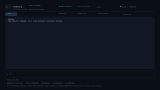
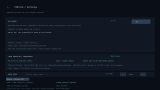
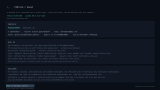
About PS5Term
A terminal drawn at 1080p on the console, with tabs, split panes, search and copy and paste. Every action works with a keyboard alone, a mouse alone or a controller alone.
The built-in shell works on the PS5's own files, with ls, cat, cp, mv, grep, sha256sum, xxd, pipes and redirects, plus ps, kill, free and sysinfo. run starts a PS5 ELF program inside the tab through your ELF loader on port 9021. It isn't a full POSIX shell. For that there's Linux: a RISC-V Linux 6.12 guest with BusyBox, curl, nano, tmux, htop and jq, and Settings can install Alpine or Ubuntu 24.04 with their package managers. Linux runs interpreted, so the developer says it suits shell work more than heavy jobs. Files in /mnt/data are kept, and /mnt/ps5 shows the console's /data.
SSH is off until you switch it on in Settings, which shows the password. Log in as linux for the Linux shell or ps5term for the built-in one, and use sftp -P 2222 ps5term@<PS5 IP> for the console's files.
Copy the FAKE99260 folder from the zip to /data/homebrew/ and start it from your homebrew launcher. Settings and the Linux disk live in /data/ps5term, which stays after an uninstall, and the disk can grow to several GB, so delete it in Settings first. The developer lists firmware 13.60 on a launch PS5. 21 languages.
Controller:
- Triangle opens the on-screen keyboard, the D-pad picks a key and Cross types it
- R2 sends Enter, Square deletes, L1 and R1 go through history
- L2 and Circle together interrupt
- Options opens Settings
Release notes
v00.001.005 · PS5Term 00.001.005 · Nov 13, 2026
- Free the space before uninstalling: Settings → Linux environments and storage now has Delete Linux disk... and Delete backup. The PS5 keeps PS5Term's data folder after an uninstall, and the Linux disk in it can be several GiB (issue #1).
- Removing an environment is safer: it can no longer touch PS5 files if that environment is opened while the removal runs.
- Growing the Linux disk now fails cleanly when the PS5 is short of space, and keeps your last good backup if an earlier growth did not finish.
- Fixes: a Linux session slot lost each time Linux stopped while the environments screen was refreshing; an install cut short no longer blocks the next one;
rungives large programs time to load, can be cancelled with Ctrl+C while starting, and passes empty arguments.