
PS5MG v0.2.4 by nikay99
Turns a picture into a textured 3D mesh on the PS5's own GPU with TRELLIS.2, from a web page on your network, with GLB, STL and OBJ downloads
Install on your PS5
App folder (.zip): unzip PPSA99577.zip and copy the PPSA99577 folder to /data/homebrew/ on the PS5, over FTP or from a USB drive. Some apps also need their title ID added to etaHEN's app list: the release notes say.
Files
| File | Size | SHA-256 | |
|---|---|---|---|
| PPSA99577.zip | 28.7 MB | 6bbd909e…d263 | Download |
Screenshots

About PS5MG
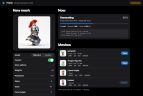
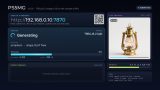
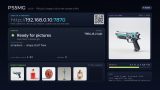
Drop a picture into the web page the app serves on port 7870 and the console makes a textured 3D mesh from it with TRELLIS.2 on its own GPU. The developer gives one to three minutes a mesh. Download it as GLB for Blender, Godot, Unity or Unreal, or as STL or OBJ for 3D printing, scaled to the size you give. There are quality presets, a queue, several pictures at once, a 3D viewer in the page (it loads three.js from the internet) and a picker for pictures PS5SD made on the same console. Scripts can use the same REST API as the page.
The TV shows the running job with its picture, time left, memory and a QR code of the web address. When the app is idle, Cross shows the newest mesh: the left stick turns it, L2 and R2 zoom, L1 and R1 pick another mesh and Circle goes back.
No model weights are included, and the app downloads nothing. Get the developer's tools on a PC and run tools\setup-weights.bat on Windows, or ./tools/setup-weights.sh with your console's address on macOS or Linux. It shows the model licences, asks you to type yes, downloads about 6.5 GB and copies it to /data/PS5MG/models/q4/ over FTP. TRELLIS.2 is MIT, but DINOv3 has Meta's own licence: read it before you sell anything you make.
Copy the PPSA99577 folder from the zip to /data/homebrew/ over FTP on port 2121, then rescan in ShadowMountPlus. You need about 7 GB free on the console. The page is open to anyone on your network unless you set a key. The title restarts itself after every job, and Pixal3D at 1024 with texture can stop without an error.
Release notes
v0.2.4 · PS5MG 0.2.4 · Oct 23, 2026
PS5MG 0.2.4
New
- Look at a mesh on the TV. When the title is idle, press Cross on the controller: the newest mesh appears, textured, and the left stick turns it. L2/R2 zoom, L1/R1 pick another mesh, Circle goes back. The screen shows the button hints.
- No job starts while a mesh is on the TV. It closes itself after two minutes without input.
Before you start: the model weights
PS5MG has no model weights of its own and never downloads any. One command on your PC gets them from their authors and copies them to
the console: see the README (Windows: double-click tools\setup-weights.bat; macOS and Linux: ./tools/setup-weights.sh with your console's address).
About 6.5 GB. TRELLIS.2 and Pixal3D are MIT; DINOv3 has Meta's own licence.
Unchanged
- The title has no network client and downloads nothing.
- The title restarts itself after every job.
- Pixal3D with texture at 1024 can stop without an error message.
- Not tested for this release: how the view feels with a long list of meshes, and meshes from before 0.2.3 over 64 MB (they are refused).