

PS5LM Simplified Chinese v0.11.0-zh.1 by lswqwsl
Simplified Chinese build of PS5LM: llama.cpp on the PS5's GPU serving language models to your network, with the TV screens and the web chat page in Chinese
Install on your PS5
App folder (.zip): unzip ps5lm-app-v0.11.0-zh.1.zip and copy the PPSA99575 folder to /data/homebrew/ on the PS5, over FTP or from a USB drive. Some apps also need their title ID added to etaHEN's app list: the release notes say.
Files
| File | Size | SHA-256 | |
|---|---|---|---|
| ps5lm-app-v0.11.0-zh.1.zip | 42.4 MB | 653ffbb1…1d41 | Download |
Screenshots

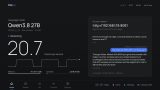
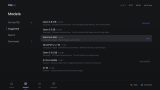
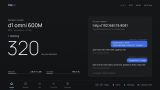
About PS5LM Simplified Chinese
lswqwsl's translation of cobanov's PS5LM 0.11.0. The five TV pages, prompts, dialogs and notifications are in Simplified Chinese, and so is llama.cpp's own web page on port 8081. The text font was rebuilt from Noto Sans SC with the whole GB2312 set, so Chinese answers from a model show as characters instead of question marks. The controller also works from the first frame of the start screen.
Everything else is PS5LM: a GGUF model loaded on the console's GPU through llama.cpp's Vulkan back end, answering OpenAI and Anthropic style requests from laptops, phones and coding tools on your network at http://<console IP>:8081. Requests scroll on the TV as they come in. The Models page downloads suggested models from Hugging Face, or copy .gguf files to /data/PS5LM/models or to PS5LM/models on a USB drive. No model comes with the app.
It needs kstuff-lite, etaHEN and ShadowMountPlus, and the developer suggests elfldr on port 9021 and ftpsrv on port 2121. Copy the PPSA99575 folder to /data/homebrew/. It has the same title ID as the English PS5LM, so it replaces that one, and settings and models in /data/PS5LM stay. The developer lists firmware 7.00 to 13.60.
The author says the console's own browser can't draw the web page, so open it on a PC or phone, and the controller keyboard only types Latin letters. The language of the answers depends on the model and the prompt.
Release notes
v0.11.0-zh.1 · PS5LM 简体中文版 v0.11.0-zh.1 · Nov 19, 2026
PS5LM 简体中文版 v0.11.0-zh.1
基于上游 cobanov/PS5LM v0.11.0 的汉化版。
版本号里的 0.11.0 是上游基线,zh.N 是这个 fork 的第 N 次发布;contentVersion 仍是01.011.000(主机只看它判断新旧)。这一次是 zh.1。
安装
- 下载
ps5lm-app-v0.11.0-zh.1.zip解压,得到PPSA99575文件夹。 - 用 FTP 覆盖到主机的
/data/homebrew(ShadowMountPlus 会加到主屏幕)。 - 打开 PS5LM,「模型 > 推荐」拿一个模型,主页显示「就绪」后浏览器打开
http://<主机>:8081。
设置、模型、下载都在 /data/PS5LM,覆盖安装不动它们。
这一版
- 电视端全中文:五个页面、提示行、对话框、通知、模型库与下载状态、推荐列表介绍。
- 网页端是原版那一页,只是中文:
:8081是 llama.cpp 自带的 web UI(会话列表、模型选择、 设置、MCP、附件预览都在),882 条界面文案换成中文,构建时用 npm 编译进llama-server。 - 中文字体重烘:正文图集是 Noto Sans SC 的 GB2312 全集(7552 字形),模型生成的中文不再 显示成
????。 - 手柄开机能用:启动画面从第一帧就读手柄(以前要等模型列表规划完,那十来秒按什么都没反应)。
校验
- sha256:
653ffbb1e4f40fd1d4d1dd1c1582103b68af57740ee32898a254dcc2d0951d41(44,464,345 B), 同目录.sha256可以sha256sum -c对照。 - 包内 31 个文件;网页 UI 在
eboot.bin里(70 个 gzip 资源),CI 会解开检查它确实在、且是中文。
已知限制
- 主机自带浏览器渲染不了这套现代前端,打开多半是空白页;网页端请用 PC 或手机浏览器。 模型生成本身不受影响。
- 主机手柄键盘只能打拉丁字母(上游限制),中文请在浏览器里用你自己的键盘输入。
- 汉化是界面文案,模型输出什么语言取决于模型和提示词。
出问题怎么办
把 /data/PS5LM/app.log 最后几百行(里面没有 API key)发到
issues,或用「设置 > 调试报告」生成一份。