

PS5 Power Payloads v1.0 by MasterPS0
Two one-shot payloads that restart or turn off the PS5 when you send them, with a notification first
Install on your PS5
Payload: start elfldr 0.25 or newer on the PS5 first. It listens on port 9021. Then press Send to PS5 beside the payload you want under Files, on a computer or phone on the same network. elfldr downloads the payload and runs it, so the PS5 needs to be online.
Files
| File | Size | SHA-256 | |
|---|---|---|---|
| poweroff.elf | 130 KB | 42ed7983…1c48 | Send to PS5 Download |
| reboot.elf | 130 KB | 3614f689…7cbe | Send to PS5 Download |
Screenshots
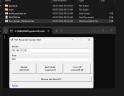
About PS5 Power Payloads
Send reboot.elf to restart the console or poweroff.elf to turn it off. Each puts up a notification and acts two seconds later. They call the system's reboot function directly, so the developer says they need a loader that gives payloads enough rights.
Send either one to the ELF loader on port 9021 with your usual sender. The developer's release page also has suspend.elf, which the author calls a rest mode template, and a notification test. Neither is kept here.
Release notes
v1.0 · Jul 6, 2026
PS5 Power Payloads Project
Default sender:
- IP:
192.168.137.250 - Port:
9021
Payloads:
payloads/reboot.elf-> Restart PS5payloads/poweroff.elf-> Turn Off PS5payloads/suspend.elf-> Rest Mode template