

ps5-discord v0.6.0-alpha.2 by abhi245y
Unofficial Discord client with text chat, voice calls and Go Live, signed in with a QR code from your phone
Install on your PS5
App folder (.zip): unzip ps5-discord-app-v0.6.0-alpha.2.zip and copy the PPSA99072 folder to /data/homebrew/ on the PS5, over FTP or from a USB drive. Some apps also need their title ID added to etaHEN's app list: the release notes say.
Files
| File | Size | SHA-256 | |
|---|---|---|---|
| ps5-discord-app-v0.6.0-alpha.2.zip | 32.0 MB | 577df9a2…278e | Download |
Screenshots


About ps5-discord
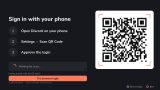
A native app draws the interface, and a background payload that the app starts by itself keeps the Discord session. Sign in by scanning a QR code with the Discord app on your phone, or through the browser when Discord asks for a captcha. Each PS5 user signs in to their own account.
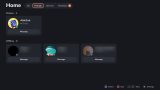
Servers, channels and DMs, with replies, reactions, edits, colour emoji, an emoji picker (L3 in a chat) and stickers. Voice works in server channels and DM calls, with Discord's end-to-end encryption. Go Live streams the game you're playing into the call at 1280x720 and 30 fps, through a Remote Play session with the console itself, with the DualSense on a USB cable as your headset. It needs Remote Play turned on for a user signed in to PSN. DMs and mentions bring up banners and PS5 alerts, and friends can see what you're playing.
Copy the PPSA99072 folder to /data/homebrew/, run kstuff and ShadowMount, and have elfldr running on port 9021. The developer lists firmware 13.00. Later versions install from Settings, About, Updates, which only takes releases signed with the project's key, and Roll back puts the last one back.
The author warns that third-party clients break Discord's terms and can get an account banned. During a game the mic only works through Go Live, there are no uploads or threads yet, and a USB keyboard doesn't type.
Release notes
v0.6.0-alpha.2 · v0.6.0-alpha.2: smoother start after updates · Oct 31, 2026
A native Discord client for the PS5: text chat, voice calls and Go Live on the TV, with a controller.
What's new in 0.6.0-alpha.2
- After an update, the app swaps in its new core before Home shows, so no more "Reconnecting" a few seconds after it opens.
- Signing out says "Signing out…", then goes back to the QR code.
From 0.6.0-alpha.1
- The update offer is shorter: it names the new version only.
- New guides: voice calls and Go Live step by step, and troubleshooting.
Already on 0.5.0 or 0.6.0? Settings, About, Updates, Check.
Highlights
- Sign in with your phone: scan a QR code with the Discord app; browser sign-in as a fallback
- Text chat: servers, channels and DMs; reply, react, edit, delete; colour emoji, the emoji picker and stickers
- Voice calls: server voice channels and DM calls, end-to-end encrypted (DAVE)
- Go Live: stream your game into the call, with the USB DualSense as your headset
- Notifications: banners in the app and PS5 alerts while you play, following Discord's mutes
- "Playing" on Discord: your friends see the game you are playing
- Updates from inside the app: signed releases only, with roll back to the previous version
| | |
|---|---|
| Chat | Voice room |
| Chat while in a call | Emoji picker |
Install
Download ps5-discord-app-v0.6.0-alpha.2.zip only. The background core is inside the app and starts by itself.
- Copy the
PPSA99072folder from the zip to/data/homebrew/on the console (FTP). - Run kstuff and ShadowMount, then open the app from the home screen. elfldr must be running on port 9021.
- Scan the QR code: Discord app, Settings, Scan QR Code.
Updating: from 0.5.0-alpha.1 or 0.6.0-alpha.1, use Settings, About, Updates, Check. From 0.2.0-alpha.1, install by FTP as above, over the old folder.
Requirements: a PS5 on firmware 13.00 (the only one tested). For Go Live: a DualSense on a USB cable, and Remote Play turned on for a user signed in to PSN.
Guides
Known issues
- When Discord asks for a captcha, the QR sign-in cannot show it: use Try browser login.
- You talk and hear in a call while the app is on screen; during a game, use Go Live.
- Replug the controller between Go Live streams (the app asks).
- No uploads or threads yet.
- A USB keyboard plugged into the console does not type.
Verify the download
577df9a20845e71c4d377726d620cee431df1aa0bd4d6ff821299b664482278e ps5-discord-app-v0.6.0-alpha.2.zip
SHA256SUMS lists every file. update.txt and update.sig are what the app's updater checks: the release is signed with the project's offline key, and the app installs nothing that is not.
Free software under the AGPL (LICENSE). Source: abhi245y/ps5-discord.