

PS5 Browser appCache remove v1.1 by Storm21CH
One-shot payload that deletes the web browser's offline cache, cookies and the User Guide's stored data for every user on the console
Install on your PS5
Payload: start elfldr 0.25 or newer on the PS5 first. It listens on port 9021. Then press Send to PS5 beside the file under Files, on a computer or phone on the same network. elfldr downloads the payload and runs it, so the PS5 needs to be online.
Files
| File | Size | SHA-256 | |
|---|---|---|---|
| Browser_appCache_remove.elf | 113 KB | ae90011e…fd30 | Send to PS5 Download |
Screenshots
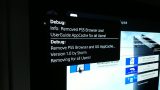
About PS5 Browser appCache remove
The author made it because Clear Website Data in the browser settings didn't remove pages kept in the offline cache. Send Browser_appCache_remove.elf to the ELF loader on port 9021 and it deletes these files from every user's webkit/shell folder: the application cache database, the cookie database, the stored data for manuals.playstation.net (the User Guide) and the browsing session's resource log, each with its -shm and -wal files.
The cookies go too, so sites you were signed in to in the browser will ask again. The same files can be deleted by hand over FTP. The developer lists firmware 4.03, 6.50 and 10.01.
Release notes
v1.1 · PS5_Browser_appCache_remove · Feb 8, 2026
PS5 Browser_appCache_remove
Removes the browser and User Guide appCache for all users...
Version 1.1 (ElfLoader Port 9021) by Storm
Because the Function setting (Settings/System/Web Browser/Clear Website Data) on the PS5 doesn't do anything. In any case, nothing is deleted for me when I have a page in the offline cache. That's why I made this payload: All offline cache files for all users are deleted. Tested on PS5 4.03, 6.50 and 10.01. The files can also be deleted manually with FTPS5...
The files can also be deleted manually with FTPS5...
Credits:
john-tornblom Thanks for Payload SDK