

PS5 AirPlay v0.1.2 by rodri0x
AirPlay screen mirroring receiver: mirror an iPhone, iPad or Mac to the TV, with sound
Install on your PS5
Payload: start an ELF loader on the PS5 first, such as elfldr, which listens on port 9021. Then open this address in a browser on a computer or phone on the same network, with your PS5's address in place of PS5. elfldr downloads the payload and runs it.
http://PS5:9021/?uri=https%3A%2F%2Fstore.brewology.com%2Fdl%2F3762%2Fairplay-installer.elf
Files
| File | Size | SHA-256 | |
|---|---|---|---|
| airplay-installer.elf | 3.6 MB | 70cd44bc…24c7 | Download |
Screenshots

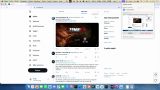
About PS5 AirPlay
The console shows up under Screen Mirroring like an Apple TV. Pick it from Control Centre on an iPhone or iPad, or from a Mac, and the screen comes up on the TV with sound, from the home screen or over a game. Video goes up to 1080p at 60 fps in H.264, and a phone held upright stays upright with bars at the sides.
The release is an installer. Run it once and it adds a PS5 AirPlay shortcut to the home screen and starts the receiver. The receiver doesn't start on boot, but after a restart the shortcut starts it again if your loader is elfldr 0.25 or newer. The shortcut also opens settings for the name, a four-digit passcode and the delay, from 60 ms to 200 ms.
HEVC, 4K and HDR aren't supported. Protected video stays black, and the play-on-TV button inside apps, audio-only AirPlay and photos don't work.
The release is an installer. Run it once and it adds a PS5 AirPlay shortcut to the home screen and starts the receiver. The receiver doesn't start on boot, but after a restart the shortcut starts it again if your loader is elfldr 0.25 or newer. The shortcut also opens settings for the name, a four-digit passcode and the delay, from 60 ms to 200 ms.
HEVC, 4K and HDR aren't supported. Protected video stays black, and the play-on-TV button inside apps, audio-only AirPlay and photos don't work.
Release notes
v0.1.2 · PS5 AirPlay v0.1.2 · Oct 13, 2026
Full Changelog: https://github.com/rodri0x/ps5-airplay/compare/v0.1.1...v0.1.2