

ProsperoRadio v01.000.010 by bornaradusin
Internet radio from the Radio Browser catalogue, searchable by country, genre, language and bitrate, with favourites
Install on your PS5
App folder (.zip): unzip PPSA99001.zip and copy the PPSA99001 folder to /data/homebrew/ on the PS5, over FTP or from a USB drive. Some apps also need their title ID added to etaHEN's app list: the release notes say.
Files
| File | Size | SHA-256 | |
|---|---|---|---|
| PPSA99001.zip | 17.3 MB | cadcb62e…e370 | Download |
Screenshots

About ProsperoRadio
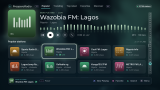
Browse Popular, Trending, Top rated, Favorites and Discover, or search Radio Browser's live list by name, country, genre, language and bitrate. The catalogue is kept in a local SQLite database, and a sync that fails leaves the last good copy in place. Station names show in every script, right-to-left ones included.
It plays AAC and AAC+, MP3, Opus, Vorbis and FLAC streams, follows M3U and PLS links, and handles audio-only AAC HLS. It all runs from the D-pad or the left stick, with the PS5 keyboard for typing.
BlackBearReloaded wrote ProsperoRadio, and bornaradusin keeps it going now that the original source has gone from GitHub. Upload the PPSA99001 folder to /data/homebrew/ over FTP and let ShadowMountPlus pick it up. Remove an older PPSA99001.ffpfsc image first if you have one. Favourites, the catalogue and settings live in /data/prosperoradio, so an update keeps them.
Release notes
v01.000.010 · ProsperoRadio 01.000.010 · Oct 22, 2026
Originally developed by BlackBearReloaded; now maintained by bornaradusin. Updated developer credits and Prospero Store references. Tested and working on PS5.