

ProsperoLight v01.000.110 by LedyBacer
Moonlight client: stream games and the desktop from a PC running Sunshine, with HEVC and HDR10, up to 4K and 120 fps
Install on your PS5
App folder (.zip): unzip PPSA99002.zip and copy the PPSA99002 folder to /data/homebrew/ on the PS5, over FTP or from a USB drive. Some apps also need their title ID added to etaHEN's app list: the release notes say.
Files
| File | Size | SHA-256 | |
|---|---|---|---|
| PPSA99002.zip | 34.8 MB | f29935f3…74ba | Download |
Screenshots

About ProsperoLight
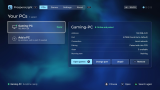
Pair the console with a PC running Sunshine or another GameStream host and play your PC games, or the whole desktop, on the TV. H.264 and HEVC, with HDR10, go through the PS5's hardware decoder at 1080p, 1440p or 4K, from 30 to 120 fps. PyroWave, a GPU codec, works with Vibepollo or Vibeshine hosts that send it over a wired network. Sound is stereo or 5.1.
Up to four DualSense controllers can join, with haptics and adaptive triggers where the host passes them on, plus a USB keyboard and mouse, an on-screen keyboard and a mouse mode on the pad. The launcher finds PCs on the network, keeps up to eight with their game lists and box art, and can wake a saved PC with Wake-on-LAN. Home-screen tiles made with Forwarder Manager start one PC game directly.
Copy the PPSA99002 folder to /data/homebrew/ and let ShadowMountPlus register it. A wired network is strongly recommended. Pairings and settings stay in /data/prosperolight, and the app can update itself when a newer release is listed. BlackBearReloaded started ProsperoLight, and LedyBacer looks after it now.
- Touchpad + L1: end the stream
- Touchpad + R1: performance overlay
- Touchpad + Square: controller or mouse mode
- Touchpad + Triangle: on-screen keyboard
- Hold Circle on the PCs page: close the app
Release notes
v01.000.110 · ProsperoLight 01.000.110 · Oct 15, 2026
Stable: Punktfunk hosts, more box art, no wait before the stream
New
- Punktfunk hosts: the decoder now reserves six pictures by default, so Punktfunk's GameStream stream (five reference frames) decodes on a release build. Before, it showed no picture. Streams from other hosts are unaffected.
- JPEG and WebP box art: covers that hosts such as Punktfunk pass through as JPEG or WebP now appear, as PNG covers always did.
- PyroWave from punktfunk: punktfunk's PyroWave revision is accepted; its shaders and bitstream code are the same as the supported one.
Changed
- No wait before the stream: the check for a newer version runs on its own. When homebrew.page could not be reached, starting a stream, a home-screen forwarder included, waited about a minute for that check to give up.
- Box art: covers over 1 MiB load, and covers already fetched are kept in memory, so scrolling back through a large library does not download them again.
- Built on ps5-opengl SDK 1.0.2.
Installation / update
Title ID remains PPSA99002; saved PCs, settings and pairing are kept. Close the app before updating. Extract PPSA99002.zip and copy the complete PPSA99002/ folder to /data/homebrew/. Keep only one installation for this title. SHA256SUMS verifies the download.