

ProsperoGallery v0.1.1-beta by AmineWallah
Your PS5 screenshots and clips in any browser on your network, grouped by day, to view full screen and download
Install on your PS5
Payload: start elfldr 0.25 or newer on the PS5 first. It listens on port 9021. Then press Send to PS5 beside the file under Files, on a computer or phone on the same network. elfldr downloads the payload and runs it, so the PS5 needs to be online.
Files
| File | Size | SHA-256 | |
|---|---|---|---|
| prospero-gallery.elf | 602 KB | eb2c690d…4736 | Send to PS5 Download |
Screenshots


About ProsperoGallery
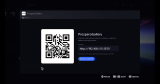
Send prospero-gallery.elf to the ELF loader on port 9021, or add it to Payload Manager, and the console shows Gallery running with its address. The first run adds a ProsperoGallery icon to the Media tab, which opens a page with a QR code and the address, and Browse on this PS5 to use the gallery on the console. The icon only works while the payload runs, so send it again after each jailbreak. Sending it again while it runs replaces the running copy.
On a phone or computer on the same network, scan the code or open http://<PS5_IP>:1337. Captures are grouped by day, newest first, with filters for screenshots, videos or one game. Open one full screen, move on with the arrows, the arrow keys or a swipe, and press Download to save it.
It shows JPG, PNG and JXR screenshots and MP4 and WebM videos. Browsers can't show HDR .jxr pictures, so the payload turns them into JPG on the console, which takes a few seconds the first time. Original HDR downloads the untouched file.
The developer lists firmware 13.60 and calls it a beta. It reads captures from user/av_contents/photo/NPXS40087 and the video folder next to it, and the author assumes that ID is the same on every console.
Release notes
v0.1.1-beta · ProsperoGallery v0.1.1-beta · Oct 10, 2026
Fixed a bug in which .jxr and .webm files wouldn't be displayed in the gallery.