

ProsperoAI v01.007.000 by quatrixone
Chat with language models and make pictures, sound and speech on the PS5's GPU, from the TV or a browser on your network
Install on your PS5
App folder (.zip): unzip PPSA99004.zip and copy the PPSA99004 folder to /data/homebrew/ on the PS5, over FTP or from a USB drive. Some apps also need their title ID added to etaHEN's app list: the release notes say.
Files
| File | Size | SHA-256 | |
|---|---|---|---|
| PPSA99004.zip | 67.8 MB | 68759ee8…c7aa | Download |
Screenshots
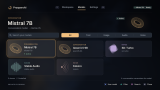

About ProsperoAI
Four kinds of model in one app: text chat, 512x512 pictures, short sound and music clips, and speech, with voice cloning in 19 languages. It all runs on the console through one llama.cpp and GGML Vulkan runtime, with no account and no cloud. The TV and the browser share conversations, which are kept in /data/prosperoai/sessions.
No model weights are included. Models lists presets to download, among them Mistral 7B, Qwen 3.8 9B, MiniCPM5, Granite, Ternary Bonsai 2 27B, SD-Turbo, Realistic Vision, Stable Audio 3, ACE-Step, Kokoro and Chatterbox. Text GGUF files can also go in /data/prosperoai/models/.
The browser Workspace is on port 11434 of the console, with an OpenAI-style API on /v1 that streams and handles function calls, so OpenCode and similar clients can use the console's models. With Web search on, /search in a chat asks many sites at once and hands the results to the model, and /fetch reads one page.
It needs ShadowMountPlus and an ELF loader on port 9021, which it uses to reach the console's storage. Copy the PPSA99004 folder to /data/homebrew/ so eboot.bin ends up at /data/homebrew/PPSA99004/eboot.bin, and set the folder to 0777 if your FTP client drops permissions. The author calls it an experimental project, not production software.
Release notes
v01.007.000 · ProsperoAI 01.007.000 · Nov 12, 2026
- Updated the shared Vulkan inference runtime to upstream llama.cpp and GGML, including PS5 and Ternary Bonsai compatibility for the upstream API changes.
- Image Studio now passes uploaded images and masks reliably, and SDXL ControlNet keeps its model weights resident alongside the guide network during sampling.
- Fixed Cover and Stems rejecting valid WAV files on PS5; both workflows now produce their expected artifacts.
- Added symlink-safe file checks for image upload leases and audio workflow inputs.
- Verified all 25 installed curated model presets and their applicable workflows on the PS5 test title. Two optional local GGUFs remain outside the supported catalog because they exceed available console Vulkan memory.