

PlayKaraoke v0.1.0-beta by PlayKaraoke
Karaoke player for CDG and MP4 songs on a USB drive, with key change, a singer rotation and requests from phones by QR code
Install on your PS5
Payload: start elfldr 0.25 or newer on the PS5 first. It listens on port 9021. Then press Send to PS5 beside the file under Files, on a computer or phone on the same network. elfldr downloads the payload and runs it, so the PS5 needs to be online.
Files
| File | Size | SHA-256 | |
|---|---|---|---|
| playkaraoke.elf | 38.9 MB | d63c9aa0…5edf | Send to PS5 Download |
Screenshots


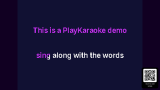
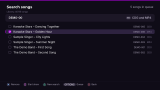
About PlayKaraoke
Plays your own karaoke files from a USB drive, full screen: CDG with its audio in a .zip (MP3+G), and MP4 video up to 4K. Change the key by up to 12 semitones either way while a song plays, without changing the speed. Search by artist, title or code, or browse the folders. No songs are included.
Guests scan the QR code on the TV with a phone, type a name and request songs, with no app to install. The rotation gives each singer one song per round, up to five each, and a countdown shows who's next. When it's your turn, the phone can change the key or finish the song. Options opens the queue at any time to move or remove songs.
Send playkaraoke.elf to elfldr on port 9021 after every jailbreak, then open PlayKaraoke from Media. It sets itself up in /data/playkaraoke and registers its tile and an app host in the system. The author calls it an experimental beta and asks you to close any game first. When it opens, the PS5 browser shows a short guide on top: press Circle to close it. Songs have to be on an exFAT or FAT32 USB drive. The developer lists firmware 13.60.
- L1 and R1: key down or up
- Up and down: volume
- Right stick: back or forward 10 seconds
- Cross: pause
- Circle: end the song
Release notes
v0.1.0-beta · PlayKaraoke for PS5 v0.1.0-beta · Oct 13, 2026
First public beta of PlayKaraoke for PS5.
⚠️ Experimental — use at your own risk. Runs on jailbroken consoles only and writes to system areas
(dashboard tile and app host). Back up your saves and close any open game before opening PlayKaraoke.
No music is included.
Requirements
- Jailbroken PS5 with elfldr (port 9021). Tested on firmware 13.60.
- Your karaoke songs on a USB hard drive or pen drive (exFAT or FAT32), plugged in before opening the app. In this version, songs on the PS5 internal storage are not listed.
- Phones on the same Wi-Fi as the PS5 (optional).
Install
- Download
playkaraoke.elfbelow. - Send it to elfldr on port 9021 (with your favorite payload sender).
- Open PlayKaraoke in the Media section. Send the payload again after every jailbreak.
What's in this beta
- CDG (MP3+G zip) and MP4 playback in full screen, up to 4K
- Real-time key change (±12 semitones, same speed) with L1/R1, volume, back/forward 10 s
- Accent-insensitive search of your USB drive, CDG/MP4 filter, folder browser
- Singer rotation: one song per singer per round, up to 5 songs each
- Song requests from phones with the QR code on the TV (no app to install); key change and "finish" from the phone when it is your turn
- Queue screen (OPTIONS) at any time, even while a song is playing: move or remove songs
- English and Portuguese (Brazil)
Known issues
- When the app opens, the PS5 web browser shows a quick guide on top of it: press ○ to close it.
- Online (YouTube) search is not available yet.
SHA-256 playkaraoke.elf: d63c9aa03ca59e2d27b5a194d88ab4665f30379eaef14408bf6cee23aedf5edf