

PKG Manager v1.5.1 by itsPLK
Installs .pkg files from USB drives, discs and SMB shares, or sent from a computer's browser, through a web interface on the TV with a home screen tile
Install on your PS5
Payload: start elfldr 0.25 or newer on the PS5 first. It listens on port 9021. Then press Send to PS5 beside the file under Files, on a computer or phone on the same network. elfldr downloads the payload and runs it, so the PS5 needs to be online.
Files
| File | Size | SHA-256 | |
|---|---|---|---|
| pkg-manager_v1.5.1.elf | 1.9 MB | 82e3548e…2dca | Send to PS5 Download |
Screenshots
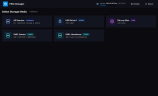



About PKG Manager
A web interface on port 8844 that lists the packages it finds, with their names, icons and versions, and installs them with the console's own installer. Open it from the PKG Manager tile on the home screen, or at http://<PS5 IP>:8844 from a phone or computer on the same network.
Packages are read from the root of a USB drive or disc, and from a /pkg/ folder and its subfolders. SMB shares on a computer or NAS are added under Settings, Samba, and Rescan picks up new files on them. Direct Install sends a .pkg from another device's browser. Packages install as they're read, so they don't need twice the space, and the installed version is shown so the same one isn't installed twice. The developer's FAQ covers sharing a folder from Windows 11 without a password.
Installs wait in a background queue with cancel and retry, and you can keep browsing meanwhile. Big packages can be split with tools/pkg_split.py on a computer and installed from several discs or USB drives, with a prompt when it's time to swap. It also finds the leftover files a database rebuild leaves behind and clears them.
Start it from Payload Manager's default repository, or send the ELF to elfldr. It sends its install helper to elfldr on port 9021, so leave elfldr running. Settings has a button to close PKG Manager.
Release notes
v1.5.1 · Oct 10, 2026
- Added support for PS5 backport patches that previously appeared as unknown packages
- Show an "SDK target" badge for PS5 packages when the executable's SDK version can be read reliably
- Improved installed-version detection so newer PS5 patches can be installed and already installed updates are correctly recognized
Full Changelog: https://github.com/itsPLK/ps5-pkg-manager/compare/v1.5.0...v1.5.1