

Pelagia v0.1.0 by steredbits
Unofficial Jellyfin client: watch films and series from your own server, with audio and subtitle choice
Install on your PS5
Homebrew for websrv (.zip): unzip Pelagia-v0.1.0-ps5.zip and copy the Pelagia folder to /data/homebrew/ on the PS5, over FTP or from a USB drive. Then load websrv (websrv-ps5.elf) with an ELF loader, open http://PS5:8080 in the PS5's browser or on a phone, with your PS5's address in place of PS5, and start it from the list.
Files
| File | Size | SHA-256 | |
|---|---|---|---|
| Pelagia-v0.1.0-ps5.zip | 14.0 MB | 42c4c6d0…fb53 | Download |
Screenshots
About Pelagia
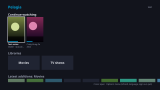
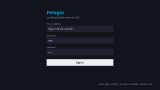
Sign in to your Jellyfin server with the on-screen keyboard, and the session is kept for next time. The home screen has Continue watching, your libraries and the latest additions, and series open into seasons and episodes. Playback is 1080p with software decoding. The server transcodes to H.264 and AAC, or streams the file as it is when it can, and your position goes back to the server.
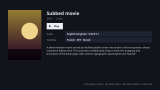
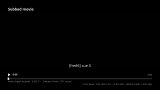
Audio and subtitle tracks can be changed before or during playback, starting from the choices in your Jellyfin profile. Text subtitles are drawn by the app and image subtitles are burned in by the server. English and French.
It starts from the websrv launcher. A pelagia.conf with your server address saves typing it in. The connection is HTTP only for now. The developer lists firmware 13.60.
- Cross: select
- Circle: back
- Triangle: play / pause
- L1 / R1: back or forward 10 seconds
- L2 / R2: back or forward 60 seconds
Release notes
v0.1.0 · Pelagia v0.1.0 — Jellyfin client for PS5 · Oct 9, 2026
Pelagia v0.1.0 — unofficial Jellyfin client for PS5
First public release: an unofficial Jellyfin client for jailbroken PS5 consoles,
driven with the controller.
Added
- Jellyfin client: sign in with user name and password (on-screen keyboard), session kept between launches (token only, the password is never stored), home screen with "Continue watching", libraries and latest additions, poster grids, movie and episode pages, series > seasons > episodes.
- Playback of movies and episodes in 1080p: the server transcodes to H.264 + AAC or streams the video directly; software decoding with ffmpeg, A/V sync, pause, seek (-/+10 s, -/+60 s), resume where you stopped, buffering and automatic reconnection, playback reports so the server keeps your position and watched state.
- Audio and subtitle selection from the movie page and during playback, preselected from your Jellyfin profile (preferred languages, subtitle mode, remembered choices). Text subtitles are drawn by Pelagia (no server transcoding); image subtitles are burned in by the server.
- Interface in English and French: string catalogs, language chosen from the system (when available) or in Options > Language, saved between launches; track language names and the on-screen keyboard layout (QWERTY / AZERTY) follow it.
- Installation from a USB stick (unzip the release at the root of an exFAT stick:
homebrew/Pelagia/eboot.elf) or over FTP in/data/homebrew/Pelagia/. Session, cache and logs are always stored in/data/homebrew/Pelagia/, never on the stick. - Optional
pelagia.conf(server=) to pre-fill the server address, read from the USB stick first, then from/data/homebrew/Pelagia/. - Version number shown in the Options menu, "About" screen with the unofficial-project notice and licence. The device appears as "Pelagia (PS5)" on the Jellyfin dashboard.
- GPL-3.0-or-later licence (
LICENSE) andTHIRD_PARTY_NOTICES. - The
eboot.elfin the release zip is stripped (smaller). The unstripped build is published next to the zip aspelagia-debug-symbols.elf(listed inSHA256SUMS), to analyze crashes.
Known limitations
- HTTP only (no HTTPS yet, planned).
- The interface is available in English and French (Options > Language). On the PS5 the system language cannot be read yet, so it starts in English.
- 1080p output, software decoding (no 4K, HDR or hardware decoding yet).
- After "Quit" from the websrv launcher the screen can stay black; close the launcher by hand.
- ASS/SSA subtitle styling is not reproduced (plain text is shown); the embedded font covers Latin scripts only.
- Tested only with PS5 firmware 13.60 (Relapse jailbreak: etaHEN, kstuff lite, ftpsrv, websrv, ShadowMountPlus) and Jellyfin server 12.1.0.
Unzip at the root of an exFAT USB stick (or copy homebrew/Pelagia to /data/homebrew/ over FTP).
See INSTALL.txt in the zip, and the README. Pelagia is not affiliated with the Jellyfin project or Sony.
pelagia-debug-symbols.elf is the unstripped eboot.elf (symbols and debug information): it is only useful to analyze a crash, not to install Pelagia.