

Payload Manager v0.6.3 by itsPLK
Web dashboard on port 8084 for starting, installing and updating payloads and picking the ones that load at boot
Install on your PS5
Payload: start elfldr 0.25 or newer on the PS5 first. It listens on port 9021. Then press Send to PS5 beside the file under Files, on a computer or phone on the same network. elfldr downloads the payload and runs it, so the PS5 needs to be online.
Files
| File | Size | SHA-256 | |
|---|---|---|---|
| pldmgr_v0.6.3.elf | 2.7 MB | 2a42054f…41c4 | Send to PS5 Download |
Screenshots

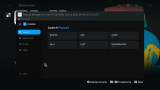
About Payload Manager
itsPLK's Payload Manager (pldmgr) runs in the background and serves a dashboard at http://<PS5 IP>:8084 for a PC, a phone or the PS5's own browser. It also puts a Payload Manager icon on the home screen. From the dashboard you start payloads, keep favourites, and see what's running and stop it.
Payloads come from a USB drive, an upload from the browser, or a repository. Get Payloads lists the official catalogue like a store, with search, a details page and release notes for each payload, and you can add other people's catalogues as sources. Updates to Payload Manager itself install from the official catalogue too, and the new version starts from then on even if the old .elf is the one loaded.
Autoload is a list of payloads, with delays between them if you want, that load every time the manager starts. pldmgr.elf is already the default payload in itsPLK's Y2JB, BD-JB and Lua autoloaders. With an older autoloader, put pldmgr.elf in its autoload folder and make it the only line in autoload.txt. Payloads are started through the ELF loader on port 9021, and pldmgr.elf can be sent to that loader like any other payload.
Settings and installed payloads are kept in /data/pldmgr. It's in 19 languages.
Release notes
v0.6.3 · Oct 19, 2026
Changelog
🛠️ Bug Fixes
- Hotfix for v0.6.2: fixed emojis not appearing on PS5.
Full Changelog: https://github.com/itsPLK/ps5-payload-manager/compare/v0.6.2...v0.6.3
📝 How to update
You do not need to manually download or replace your original pldmgr.elf file.
Simply install the update directly within the Payload Manager app (from the repository).
The updated version will automatically launch on every subsequent startup, regardless of whether you load the old or new .elf file initially.