

NTFS Browser v1.4.0 by abcde6543
Reads and writes NTFS USB drives on the PS5 from a web file browser, with previews and copies both ways
Install on your PS5
Payload: start elfldr 0.25 or newer on the PS5 first. It listens on port 9021. Then press Send to PS5 beside the file under Files, on a computer or phone on the same network. elfldr downloads the payload and runs it, so the PS5 needs to be online.
Files
| File | Size | SHA-256 | |
|---|---|---|---|
| ntfs-browser.elf | 349 KB | e2e0b1f6…5fb0 | Send to PS5 Download |
Screenshots

About NTFS Browser
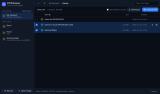
The PS5 only reads exFAT and FAT32. This payload carries its own NTFS driver, so you can open an NTFS drive without reformatting it: browse it, preview pictures, video, audio and text, and copy files and folders to /data or to an exFAT drive. It also copies from the console onto the NTFS drive, makes folders, and browses the console's own file system.
Send ntfs-browser.elf to an ELF loader on port 9021 (elfldr or etaHEN's loader). The PS5 browser opens on it, and it's also at http://<PS5-IP>:8085 on a phone or PC. Drives show up about three seconds after you plug them in, MBR, GPT and unpartitioned ones alike, and .img disk images open too. Copies run in the background, can be cancelled, and carry on where they stopped.
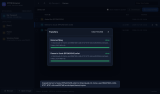
Writing is off until you turn it on for a drive with the lock button. It only adds files and folders and never changes, renames or deletes what's already there. It refuses drives that Windows didn't unmount cleanly or left hibernated by Fast Startup, so eject it properly on Windows first. EFS-encrypted files and BitLocker drives can't be read. The author says to back up anything you can't replace before writing, because the writer hasn't been run on a real console or past Windows chkdsk yet.
D-pad moves, Cross opens, Circle goes up a folder, Square selects and Triangle copies to the PS5. The PS5 browser can't save downloads, so use Copy to on the console. While it runs, anyone on your network can browse the console's files and start copies onto it.
Release notes
v1.4.0 · NTFS Browser v1.4.0 · Nov 22, 2026
NTFS Browser v1.4.0 for jailbroken PS5
Browse, copy to and from, upload to, and now delete from NTFS USB drives on a jailbroken PS5.
Download
ntfs-browser.elf: send it to your ELF loader (port 9021, e.g. elfldr, or etaHEN's payload loader):
nc -q0 <ps5-ip> 9021 < ntfs-browser.elf
The PS5 browser opens on the file browser. You can also use http://<ps5-ip>:8085 from a phone or PC.
What's new in 1.4.0
- Delete files and folders on NTFS drives. Select items and press Delete, click the trash icon on a row, or press the Delete key. Folders are deleted with everything in them, in the background, with progress in Transfers.
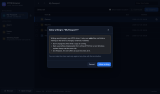
- One-time confirmation. The first time you delete on a device, NTFS Browser asks once, explaining there's no recycle bin. After that, deleting is immediate. You can turn the question back on under Settings (the new gear icon).
- Handles Windows' 8.3 short names (both names are removed), compressed, sparse and heavily fragmented files, and very large folders.
- Files that Windows tracks in its own hidden indexes (hard links, link-tracking object IDs, reparse points) are refused with a clear message rather than leaving stale data behind. Delete those on a PC.
- For safety, deleting is only available on NTFS drives, not on the PS5's own storage.
- Fixed: the file list didn't always refresh after a very quick copy or delete.
How deleting stays safe
A deleted file's folder entries are removed first and its space is freed afterwards, so an interruption (e.g. unplugging) can at worst leave an orphaned file or unused space for chkdsk to tidy. It never leaves an entry pointing at freed space. Every change to a folder index is validated in memory before anything is written; if a check fails, the delete is refused with nothing changed.
Testing
- Delete stress tests: 4,000 files deleted one by one at 512 B, 4 KB and 64 KB clusters; 8.3-named, compressed, sparse and fragmented files; ten rounds of mixed adds and deletes alternating with ntfs-3g. Every step is checked for index-tree shape, leaked clusters and
ntfsresize --check, and ntfs-3g reads back every surviving file. - All earlier reader, writer, fuzzing and server tests still pass.
Please note
- While it runs, anyone on your local network can browse and delete files on writable NTFS drives, as with FTP payloads. Close the payload when you're done, or click the lock to make a drive read-only.
- Back up anything irreplaceable. The writer and delete code have not yet been tested with Windows
chkdskon drives they've changed, or on a real console. - Use Eject before unplugging a drive you've written to.
Full details are in the README.
Checksums (SHA-256)
e2e0b1f6b3501edf703a25fdafb0b08b3e1b9568de11c581a42b1fc953d35fb0  ntfs-browser.elf
71fd6c4ae491bdcb8442ca26f06abacc57fb2648aa2b69f7332a17853cc5a323  ntfs-browser-v1.4.0.zip