
Nimbo Downloader v2.2.8 by searonff
Downloads from your TorBox, Real-Debrid, AllDebrid or Premiumize cloud straight to the console, with archive extraction, a file manager and a phone page
Install on your PS5
App folder (.zip): unzip NimboDownloader-PS5-v2.2.8.zip and copy the PPSA48921 folder to /data/homebrew/ on the PS5, over FTP or from a USB drive. Some apps also need their title ID added to etaHEN's app list: the release notes say.
Files
| File | Size | SHA-256 | |
|---|---|---|---|
| NimboDownloader-PS5-v2.2.8.zip | 24.6 MB | 7b8021a6…7f7b | Download |
Screenshots


About Nimbo Downloader
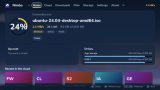
Connect TorBox, Real-Debrid or AllDebrid with a QR code from your phone, or Premiumize with its API key, and Nimbo shows what's in your clouds in one list with search, filters and sorting. Mark the files you want and they download to the internal SSD, a USB drive or extended storage, over several connections, with resume, a saved queue and a speed limit. It can wait for items the service is still preparing, and delete them from the cloud afterwards.
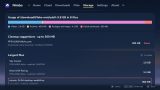
ZIP, 7z and RAR archives, split ones and password-protected ZIPs included, can be extracted when a download finishes, with the archive deleted after. The Files tab browses the drives and copies, moves, renames, deletes and extracts. Storage shows what's taking up space, with the largest folders and files and the size of each installed game and its updates. A PIN-protected page on your phone shows the queue and takes magnet, file-host and direct links for your services.
It needs etaHEN and ShadowMountPlus. Copy the whole PPSA48921 folder from the zip to /data/homebrew/, for example over etaHEN's FTP on port 1337, and wait for the icon. Connect a service in Settings, Cloud services. Files, Storage and direct links work without an account. It looks for new releases on GitHub every six hours and installs them when no download is running, which can be turned off in About. Logins and settings are also kept in /data/nimbo-settings. It follows the console's language: Portuguese, English, Spanish, French, German or Italian. The developer lists firmware 12.40.
- Cross: select, Circle: back or up a folder
- Triangle: refresh the cloud, or a window's main action
- Square: search the cloud, or mark several files
- L1 and R1: tabs
Release notes
v2.2.8 · Nov 13, 2026
Novidades
- Janela de download redesenhada: capa e nome do jogo em destaque, "Salvar em" numa linha com o botão Trocar pasta, as três opções lado a lado com a mesma largura e as ações embaixo (Apagar da nuvem separado à esquerda, Cancelar com contorno, Baixar em amarelo). Fundo atrás da janela mais escuro.
- Página do celular nova: abas embaixo, no alcance do polegar; o download ativo aparece primeiro, com porcentagem grande; a fila de espera e os concluídos em listas compactas; escolha do serviço em botões; botões maiores para o dedo; aviso quando o PS5 para de responder.
- Atualização automática agora avisa ao começar (notificação do PS5) e mostra uma faixa no topo com etapa e porcentagem enquanto instala.
Correções
- Nuvem: o ícone das capas sumia depois de uns 100 itens, e na janela de download faltavam os ícones e o visto das caixas marcadas. O app desenha no máximo 128 ícones de uma vez; agora a lista da Nuvem e a de Arquivos só montam as linhas perto da tela. A Nuvem também carrega mais itens sozinha ao chegar no fim.
- Botões de perigo (Apagar) ganharam contorno vermelho, porque antes tinham a mesma cor do painel.