

NetDis v1.0.0 by eladharels
Lists every TCP and UDP socket on the PS5 with the process or game that owns it, its state and who can reach it, on a live page in the console's browser or on a phone
Install on your PS5
Payload: start elfldr 0.25 or newer on the PS5 first. It listens on port 9021. Then press Send to PS5 beside the file under Files, on a computer or phone on the same network. elfldr downloads the payload and runs it, so the PS5 needs to be online.
Files
| File | Size | SHA-256 | |
|---|---|---|---|
| NetDis.elf | 367 KB | 9b635ff7…c534 | Send to PS5 Download |
Screenshots
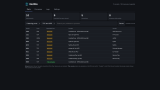
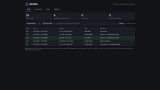
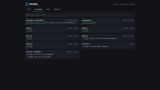
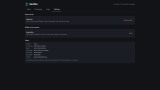
About NetDis
Send NetDis.elf to the ELF loader on port 9021, or start it from Payload Manager. A notification gives the address, http://<PS5 IP>:8070, and a NetDis tile under Media opens it in the console's browser. It runs until a reboot or rest mode, so add it to Payload Manager's autoload list to have it after each jailbreak. The developer mentions firmware up to 13.60 with the Relapse exploit, which comes with a loader.
Ports lists everything that's listening: TCP or UDP, whether the network can reach it or only the console, the owning process with its ID and the game's title ID, and a hint at what usually runs on that port number. Connections shows local and remote addresses with their TCP state, and Processes groups the sockets by program. The page refreshes every 2 seconds, with search, sorting, a TCP or UDP filter and Pause.
If the kernel's TCP list on your firmware isn't laid out the way NetDis expects, it still marks listening ports and leaves the other states blank, and Settings, About says which mode it's in. It shows which sockets exist and doesn't record traffic. The page has no password, so don't open port 8070 to the internet. The log is in /data/netdis/NetDis.log, and sending a new version replaces the running one.
Release notes
v1.0.0 · NetDis v1.0.0 · Oct 16, 2026
First public release.
Added
- Version number in the notification ("NetDis v1.0.0 running"), the log, and Settings > About.
- Releases with
NetDis.elfand a zip, built and published by GitHub Actions when a new version reachesmain. - README with screenshots, how it works, troubleshooting and building.
Changed
- NetDis has its own repository (it started in
ps5-payload, now ps5-60fps). - Built with a fixed PS5 payload SDK version (v0.44) instead of whatever is newest, so every release can be rebuilt the same way.