

mupen64plus v0.7.5 by TheRealRetro
Nintendo 64 emulator with a game shelf, rumble, save states and a Vulkan renderer up to 8x resolution
Install on your PS5
App folder (.zip): unzip Mupen64PlusPS5.zip and copy the PPSA99064 folder to /data/homebrew/ on the PS5, over FTP or from a USB drive. Some apps also need their title ID added to etaHEN's app list: the release notes say.
Files
| File | Size | SHA-256 | |
|---|---|---|---|
| Mupen64PlusPS5.zip | 21.7 MB | 4c6d2fab…eaaa | Download |
Screenshots

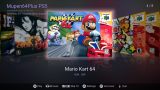
About mupen64plus
The emulation is mupen64plus-core 2.6.0 with its x86-64 dynarec, and the picture goes through paraLLEl-RDP on Vulkan at up to 8x internal resolution. The developer names GoldenEye 007 and Donkey Kong 64 among the games running at full speed in HD, and keeps a public compatibility list.
No games are included. Put your own ROMs (.z64, .n64, .v64, .rom, zipped or not) in /data/mupen64plus/roms, or in mupen64plus/roms on a USB drive. Saves, states, covers and settings are kept in /data/mupen64plus.
Have kstuff or kstuff-lite, ShadowMountPlus and an ELF loader running. The app sends its own helper to the loader when it starts. It looks for updates at launch and asks before installing one. Versions 0.6.0 to 0.6.2 can't update themselves, so put 0.6.3 or later on by hand once.
No games are included. Put your own ROMs (.z64, .n64, .v64, .rom, zipped or not) in /data/mupen64plus/roms, or in mupen64plus/roms on a USB drive. Saves, states, covers and settings are kept in /data/mupen64plus.
Have kstuff or kstuff-lite, ShadowMountPlus and an ELF loader running. The app sends its own helper to the loader when it starts. It looks for updates at launch and asks before installing one. Versions 0.6.0 to 0.6.2 can't update themselves, so put 0.6.3 or later on by hand once.
Release notes
v0.7.5 · Mupen64Plus PS5 0.7.5 · Oct 18, 2026
New
- Cheat search: find where a game keeps a number (lives, health, money) and make your own cheat from it. In the pause menu, Cheats → Search for a Cheat: search for the value the game shows, or without a value for things like a health bar. Then play, pause, and pick what happened to it (changed, went up, went down by the value...) until only a few addresses are left. In Results, keep one at the value you want as a cheat, or set it just once. Works on 8, 16 and 32-bit values; Undo takes back a step.
- Type in your own GameShark codes with the PS5's on-screen keyboard (Cheats → Type In Codes).
- Your own cheats come first in the Cheats list and are kept with the game. Square renames one, changes its codes or deletes it; on a cheat of the list, Square makes your own copy to fix. They are saved in
/data/mupen64plus/cheats/<game>.custom.txt, where you can also add codes from a PC. - Cheats is in the pause menu for every game now, also the ones the cheat list has nothing for.
- The touchpad goes back to the game from any page of the pause menu (Cheats, the cheat search, Controller Layout).