

MSX PS5 v1.2 by The7mirrors
blueMSX on the PS5 with a 3D shelf of boxes, cartridges and floppies, MSX to turbo R machines, and real disks from a USB floppy drive
Install on your PS5
Payload: start elfldr 0.25 or newer on the PS5 first. It listens on port 9021. Then press Send to PS5 beside the payload you want under Files, on a computer or phone on the same network. elfldr downloads the payload and runs it, so the PS5 needs to be online.
Payloads (.zip): MSXPS5-v1.2.zip holds floppywatch.elf and MSXPS5.elf, and the bios folder. The payloads are under Files on their own too, so Send to PS5 can take them. Copy the folder to the PS5 as the release notes say.
Files
| File | Size | SHA-256 | |
|---|---|---|---|
| MSXPS5-v1.2.zip | 3.7 MB | b6690c4b…632f | Download |
| floppywatch.elf | 110 KB | 9d6099dc…72b4 | Send to PS5 Download |
| MSXPS5.elf | 23.9 MB | 47c1fd41…a0c2 | Send to PS5 Download |
Screenshots
About MSX PS5
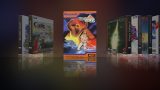
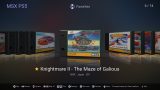
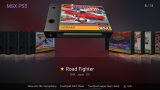
The blueMSX libretro core in a home-screen app for MSX, MSX2 and MSX2+ games, with MSX turbo R in the machine list too. Games stand on a 3D shelf as their box, cartridge or floppy (L3 switches), and L2 and R2 turn them round, with clicks in the controller. Swipe up on a cartridge to see its contacts, then blow into the DualSense microphone to clean them. The Arabic MSX games from Al Alamiah, Barq and Al-Mithali get a Sakhr shelf of their own.
No games are included. Cartridge games run on the free C-BIOS in the zip's bios folder: copy its Machines and Databases folders to /data/msx/bios. Disk and tape games need the real BIOS ROMs from your own MSX, in the matching folder under /data/msx/bios/Machines/. Games (.rom, .mx1, .mx2, .dsk, .cas, also inside a .zip) go in /data/msx/roms, and box art downloads from libretro-thumbnails.
With a USB floppy drive plugged straight into the PS5, a game disk starts by itself, from a 720 KB MSX disk or from game files on a 1.44 MB PC floppy. Nothing is written to the floppy, and Square copies the disk's game into your collection. Put floppywatch.elf in your loader's autoload and the app opens from the home screen when a game disk goes in.
Send MSXPS5.elf to your payload loader: it installs the app in /data/homebrew/PPSA99231 and stays running as its helper, and ShadowMountPlus gives it a home-screen tile. In a game L3 + R3 opens the menu, hold R2 to fast forward and L2 + R2 to rewind. The developer lists firmware 13.00.
Release notes
v1.2 · MSX PS5 v1.2 - real floppy disks · Oct 23, 2026
What's new
Real floppy disks on a USB floppy drive
- Plug a USB floppy drive into the PS5 and put a disk in: the game on it starts by itself.
- From the home screen too: send
floppywatch.elf(in the zip) with your payload loader and add it to the loader's autoload list. When a game disk goes in, it opens MSX PS5 for you. - PC-formatted floppies (1.44 MB, FAT): drop
.rom,.dsk,.casor.zipfiles on a floppy. Each one appears on the new Floppy drive shelf, drawn as a floppy, with its cover from your collection. - MSX disks of their own (720 KB) are read whole.
- Square on the Floppy drive shelf copies the disk's game into your collection, and asks before it overwrites a copy you already have.
- Nothing is ever written to the floppy.
Also new
- The Arabic MSX collection: games and programs from Al Alamiah, Barq and Al-Mithali get a Sakhr shelf of their own, with their own cartridges and opening clamshell boxes.
- Themes: Cover glow, Sakhr blue, MSX classic, Synthwave and Al Alamiah backdrops behind the shelf.
Install / update
Download MSXPS5-v1.2.zip below and send MSXPS5.elf with your payload loader. Your games, BIOS, covers, settings and saves are kept. The zip's bios folder has the free C-BIOS and the machine settings, see the README.
Tested with a TEAC USB floppy drive: plug it straight into the PS5 (no hub), and connect both plugs if it has two. Disks sold as "2HD Mac" must be formatted on a PC first.