

Media Player Classic v1.7.0 by MisterTemaki
MPC-HC's Windows player ported to the PS5: USB, console storage, SMB shares, discs and web streams, with hardware decoding
Install on your PS5
App folder (.zip): unzip MediaPlayerClassicPS5-v1.7.0-PPSA99015.zip and copy the PPSA99015 folder to /data/homebrew/ on the PS5, over FTP or from a USB drive. Some apps also need their title ID added to etaHEN's app list: the release notes say.
Payload: start elfldr 0.25 or newer on the PS5 first. It listens on port 9021. Then press Send to PS5 beside the file under Files, on a computer or phone on the same network. elfldr downloads the payload and runs it, so the PS5 needs to be online.
Files
| File | Size | SHA-256 | |
|---|---|---|---|
| MediaPlayerClassicPS5-v1.7.0-PPSA99015.zip | 69.8 MB | 6b527b9f…9f07 | Download |
| MediaPlayerClassicPS5-v1.7.0.elf | 20.5 MB | afaba95c…0c88 | Send to PS5 Download |
Screenshots
About Media Player Classic
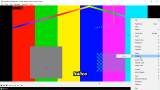
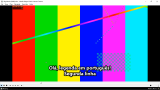
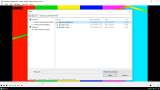
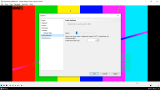
MPC-HC 1.7.13's window, menus, toolbar and dialogs, drawn as Windows 10 draws them, with FFmpeg 7.1.5 doing the playback. It plays from USB and extended drives, /data/mpcps5/media or anywhere in /data, SMB 2 and 3 shares, http and https links, HLS, and .m3u and .pls playlists. Discs in the PS5's own drive or a USB drive work too: data discs and unencrypted DVD-Video and Blu-ray. Commercial films on disc are refused, as there's no decryption of any kind.
H.264, HEVC and VP9 go to the console's hardware decoder at up to 4K, and the GPU draws the picture through Vulkan. HDR10 and HLG are tone-mapped for an SDR TV. HDR10 output to an HDR TV is there, but the author says it hasn't been confirmed on one yet. 5.1 and 7.1 can go to the console's 8-channel output. Subtitles cover ASS/SSA through libass, SRT, WebVTT, PGS and VobSub, and fonts of your own go in /data/mpcps5/fonts.
The DualSense is MPC-HC's mouse and keyboard. The left stick or the touchpad moves the pointer, Cross clicks and Square right-clicks. Every button can be changed in View, Options, Player, Keys, and with the pointer hidden the defaults are:
- Cross plays and pauses, Triangle switches full screen
- D-pad left and right jump 5 seconds, up and down set the volume
- L2 and R2 jump 20 seconds, L1 and R1 change chapter
- Options opens the menu bar
Send the .elf to the ELF loader on port 9021. It installs the app to /data/homebrew/PPSA99015 and stays running as the helper that lets the app read /data and USB drives, so put it in your autoload. Help, Check for updates fetches new versions from GitHub. The developer lists firmware 13.60 with kstuff.
Release notes
v1.7.0 · Media Player Classic PS5 1.7.0 · Nov 23, 2026
Media Player Classic PS5 1.7.0
Video post-processing on the GPU, suggested by Cris Valente: thank you, Cris! Also a choice of where the
home screen lists the app, and the fixes made for 1.6.4 (which wasn't released on its own): Stop keeps the
file's position, and an audit's fixes. Application version is 1.7.0, content version is 01.070.000, and the
title ID remains PPSA99015.
Added: Shaders (View > Options > Output > Shaders, Play > Shaders)
A chain of compute passes between the decoder's picture and the screen, for the video only (never the window, the
menus or the subtitles), with the GPU renderer. Off is the default: the picture is drawn in one pass, as in 1.6.
- Presets:
- Performance: FSR 1 enlarges the picture to the screen (AMD FidelityFX Super Resolution 1.0's EASU, with its RCAS sharpening at 75 %).
- Quality: debanding and light deblocking first, then FSR 1 (sharpening 88 %).
- Experimental: Quality, and motion smoothing.
- Custom: each of them on or off, their strength, the scaler (FSR 1, Lanczos, bicubic or bilinear) and the sharpening.
- Debanding smooths the steps of gradients (skies, dark scenes) the way libplacebo and f3kdb do: where nearby pixels differ by less than a threshold, their average is taken, then a little grain hides what is left.
- Deblocking softens the 8×8 block edges of MPEG-2, MPEG-4 and early H.264 video, where the step between two blocks is smaller than the texture around it (H.264's own rule), and keeps a pixel next to a strong edge within its neighbours' range (deringing).
- Motion smoothing (experimental) makes pictures between the film's own for the screen's 60 a second: each picture's optical flow both ways, coarse to fine, then the picture at the display's time, with occluded areas taken from the picture that shows them. A cut (two pictures more different than the Scene cut setting) is never blended, and where the motion is beyond what the flow can follow the nearer picture is shown as it is, never a double image. It is used while playing a film of 24, 25 or 30 pictures a second (not 48 or more, nor 24 to 30 at twice the speed); paused, stepped or seeking, the picture is shown as it is.
- Colour controls: brightness, contrast and saturation, with any preset but Off.
- Play > Shaders switches between the presets at once; Shader Options... opens the page.
- View > Statistics has a Shaders line with each pass's GPU time per frame (prep, motion smoothing, scale, final); the statistics over the video (R3 + Square) show their sum. Without motion smoothing, a paused picture and the repeats of a 24 fps film at 60 Hz cost only the last pass.
- HDR10 and HLG films go through the passes in their own signal; tone mapping, or the native HDR10 output, comes after, as before.
- The passes use the GPU's half-precision arithmetic where it has it, and the statistics say so. GPU start variants 2 and 4 (no instance extension), which only a start record kept by an earlier version selects, use the 32-bit builds.
- The design, the settings in
mpc-hc.iniand what wasn't done (neural networks, FSR 2/3, 120 Hz) and why: video post-processing.
Added: where the home screen lists the app (View > Options > Miscellaneous)
- On the PS5's home screen, under: Media / Games. 1.6.3 moved the app to Media; this puts it back under Games for whoever prefers it there (or keeps it under Media, the default).
- The choice is written into the app's
sce_sys/param.jsonand the home screen's copy at once, at every start of the app, and by the installer ELF. The PS5 reads it when it adds the app to the home screen: delete the app from the home screen (Options on its card, Delete) and ShadowMount+ adds it again under the chosen one. Settings, favorites and file positions in/data/mpcps5stay; amanual.lstline must be put back. - When the app's folder can't be written (an image, a read-only folder), Options says so and nothing changes.
Fixed (from 1.6.4)
- A file stopped with Stop opens again where it was stopped. Stop goes back to the start of the file, as in MPC-HC, and up to 1.6.3 that start was the position saved when the file was closed or the app exited. Now the place where Stop was pressed is the position remembered, written to
mpc-hc.iniat once. It stays the file's position until the file plays again or another place is chosen; File > Close, opening another file, File > Exit and Favorites > Add to Favorites after a Stop all keep it. - Settings are saved again when the saved network passwords can't be read (after a copy of
/data/mpcps5over FTP, for instance, or a damagedcredentials.enc). Up to 1.6.3 no option, position, recent file or favorite was saved from then on. The encrypted passwords and their key are never written over. - Playlists: an
.m3uentry starting with a character from U+F000 to U+FFFF no longer loses it; an entry with=in its name is no longer left out (key=valuelines are read in.plsfiles only, a file whose name ends with.plsor whose first line is[playlist]); a path written with backslashes (made on Windows) opens. - A file position or a favorite's position in
mpc-hc.inithat isn't a number of seconds is ignored instead of being used as a seek. - A UTF-16 subtitle file with half a surrogate pair shows U+FFFD there instead of dropping the line.
- The CA list (
cacert.pem, forhttps://and the updater) is written only when it differs, and whole. - Error texts on the backup and disc threads use
strerror_r; the SMB address parser wipes its copies of a password.
Unchanged
- Without a preset, the picture is drawn as in 1.6 (nothing of the passes is made). The GPU device is now created with the features the passes need, when the GPU has them, with any preset or none: storage images of A2B10G10R10 and 16-bit floats always, and 16-bit arithmetic except on GPU start variants 2 and 4. A device that refuses them is created again without.
- Stop still goes back to the start, and Play after a Stop still plays from the start.
- Backup, dark mode, saved network passwords, settings and favorites behave as in 1.6.3.
Updating
- From 1.6.3 or an older version with the updater, choose Help > Check for updates, install the update and restart the app.
- For manual installation, use MediaPlayerClassicPS5-v1.7.0.elf, the complete installer, then open the app from the home screen. If an older installer ELF is in your autoload, replace it with this one.
- Settings and media remain in
/data/mpcps5.
Files
- MediaPlayerClassicPS5-v1.7.0.elf: complete installer.
- MediaPlayerClassicPS5-v1.7.0-PPSA99015.zip: application package for the in-app updater.
- mpc-ps5-v1.7.0-src.zip: source code, tests, documentation and third-party notices.
Validation and limits
- On a PS5 (4K TV at 59.94 Hz, the console's decoder for every film): the GPU device was created with the new features (A2B10G10R10 and 16-bit storage images, half precision) on the first try, and the presets ran with their half-precision builds. Each preset's GPU time per frame (the sum the OSD statistics show, R3 + Square), with the player in its window and View > Statistics open:
| 24 fps film | Performance | Quality | Experimental |
|---|---|---|---|
| 1920×800 H.264, enlarged (FSR 1) | 0.5 ms | 0.7 ms | 1.5 ms |
| 3840×1714 H.264, made smaller to the window (bicubic) | 1.1 ms | 2.1 ms | 5.1 ms |
| 3840×2160 HEVC HDR10, made smaller to the window (bicubic) | 1.3 ms | 2.4 ms | 5.2 ms |
Full screen, a 4K film on a 4K screen isn't scaled and costs less. The films kept their 24 pictures a second with
at most 3 dropped each (around the preset changes; the first while the passes were made), the HDR10 film stayed in
native HDR10 output with every preset, and motion smoothing looked right to the tester, with no blended pictures at
cuts and no ghosts. With Shaders Off, a 720×1280 H.264 clip at 60 fps showed every picture for one refresh, as
1.6.3 did. Stop keeping the position (1.6.4) and the home-screen category Games, with ShadowMount+ adding the app
again, worked on the same console.
- Not run on a PS5: the Custom settings and the colour controls (host tests only). If the app falls back to the software renderer on your console, please report it with
boot.log(Debug logs on,/data/mpcps5/logs/boot.log). - Full frontend suite: 941 checks passed. The 12 that fail (an SMB address check, and 11 comparisons of the GPU's 4K HDR pictures with the CPU path's on the host's software Vulkan) fail the same way on 1.6.4. The new group 40 (48 checks) covers the presets, the menu, the Shaders page (Custom's edits kept on OK), the colour controls, the statistics, motion smoothing (pictures made between two; paused, the picture itself; a change of size mid-stream), the software renderer, the home-screen category from the app and from the installer, and the library and HDR tests below.
- The GPU library's own tests pass on the host's Vulkan (Mesa lavapipe): the passes with their half-precision builds (77 checks) and their 32-bit builds (77), the passes or their images failing (3 and 5), motion smoothing's images failing (7), and the build without a GPU. The HDR10 output test (20 checks) runs the passes too.
- Credential core 36, real SMB UI 31 and theme harness 43 checks passed, and the update, log, installer and GPU start harnesses pass. The frontend suite ran with GCC 13 and ASan/UBSan.
- The translation table (755 texts) passed validation in all five languages; the Shaders page was checked on screen in English, Spanish, Portuguese, French and German, the Miscellaneous page and the home-screen message in English.
- The native PS5 GPU build and complete installer passed import, runtime-link, syscall and RADV linkage checks.
- Three independent review rounds; the last found nothing that blocks the release.
Host tests use simulated PS5 calls and software Vulkan; the timings above are the console's.
Credits
- Cris Valente, for suggesting the post-processing, its presets and the timings to watch.
- AMD FidelityFX Super Resolution 1.0 (MIT), vendored unchanged in
ps5-slang-gpu/third_party/ffx-fsr1. - The debanding follows the approach of libplacebo and f3kdb, the motion smoothing's time approximation that of Super SloMo (Jiang et al., 2018); both reimplemented, no code copied.
Port by MisterTemaki, with the PS5 layer of PS5SX2.