

Game Library Manager v0.5.0 by leedsy90
Web page on your phone that finds the games on every drive, says why ShadowMountPlus can't see some of them, and moves, copies, extracts or fixes them
Install on your PS5
Payload: start elfldr 0.25 or newer on the PS5 first. It listens on port 9021. Then press Send to PS5 beside the file under Files, on a computer or phone on the same network. elfldr downloads the payload and runs it, so the PS5 needs to be online.
Files
| File | Size | SHA-256 | |
|---|---|---|---|
| glm-0.5.0.elf | 592 KB | 79343fc3…0d8e | Send to PS5 Download |
Screenshots
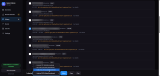
About Game Library Manager
Send glm-0.5.0.elf to your ELF loader, usually on port 9021, after ShadowMountPlus. A notification gives the address, http://<PS5 IP>:8095, and a Game Library Manager tile goes on the home screen. Loading it again while it runs opens the page. It looks through internal storage, the M.2 drives and USB drives, in homebrew/ and etaHEN/games/ folders, for game folders, .exfat, .ffpkg, .ffpfs and .ffpfsc images, archives and .pkg files.
Needs attention lists the games ShadowMountPlus won't pick up and why: too deep in folders, wrapped in an extra folder, a hidden name, a duplicate title ID or still inside an archive. Each one has a fix, moving it into place or adding it to ShadowMountPlus's manual list. For a duplicate it shows every copy side by side, with format, drive, size and the one ShadowMountPlus uses, and asks which to keep. The Library is a grid of covers grouped by drive, with Fix, Move, Copy and Delete on each.
A move to another drive is copied, compared with the original and then renamed into place, and the original is only deleted after that. The queue survives a reboot and can be paused, cancelled or reordered. It extracts .7z archives, and every delete asks first.
The page has no password, so use it on a network you trust. Settings go in /data/game-library-manager/config.ini, including the port and optional phone alerts through ntfy or a Home Assistant webhook. ShadowMountPlus 1.7 or newer is recommended. Without it, the parts that ask ShadowMountPlus are switched off.
Release notes
v0.5.0 · Game Library Manager v0.5.0 · Oct 13, 2026
What's new
A Library of covers
The Library is now a grid of game covers, grouped by drive. Covers are read from each game's sce_sys/icon0.png, from game folders and from inside .exfat, .ffpkg and .ffpfsc images. Badges show what needs doing at a glance:
- Needs fix: ShadowMount won't pick it up as it is
- Duplicate: the same game is on your drives more than once
- Save fix: a backport's save library can be switched off
Press a cover to see its details and every action: the reason it needs fixing and where Fix will move it, title ID, format, drive, path, size, fakelib state, plus Fix, Move, Copy, Delete, Apply / Undo save fix and Add to SMP list.
Delete
Delete a game from its details, or tick several covers and press Delete in the bar at the bottom.
- A confirmation lists every item with its path and the total size, and the server refuses a delete that wasn't confirmed.
- Games ShadowMount manages are deleted through ShadowMount's own delete, so they're unmounted first.
- Whole drives, ShadowMount scan folders, the
backports/game-extrasfolders themselves and system areas are always refused. - Deletes run in the queue like moves, so you can see progress and results.
Choose which duplicate to keep
When a game is on your drives more than once, its details show "Which format should we keep?": every copy side by side, with its format (folder, exFAT, .ffpkg, .ffpfsc…), drive, path, size, save fix state and which one ShadowMount is using. Press Keep this one and the other copies are deleted after you confirm. In Needs attention, a duplicate card has Choose which to keep… for the same view.
Leftovers, extras and backports
These now show in the Library, in their own section under each drive, so you can see what they are and delete them:
- Leftovers (
*.leftovers): what Fix left of a wrapper folder (readme, .nfo, other folders from the release). Not needed to play. - Extras (
game-extras/<title ID>): fixes, backports and DLC that Extract set aside. - Backports (
backports/<title ID>): ShadowMount backport overlays. The details warn that a game may not start without its backport.
They no longer count as games or show up as "needs fix".
Tested on the PC with the full app against test drives (covers, delete, keeping one of two duplicates). A pre-release build of this version was also run on a PS5, where covers loaded for all 32 games in the library (folder, exFAT, .ffpkg and .ffpfsc).
Download
glm-0.5.0.elf (below)
SHA-256: 79343fc3074124b45ba165f7800a72ae2710ccb13d10f5493fd9f68a7db20d8e
Verified build
This file is a byte-for-byte reproducible build of the v0.5.0 source. Run sh reproduce-build.sh (needs Docker) to check it yourself.