

fps-monitor-panel v1.0.0 by rawalakshay
In-game overlay with the frame rate, frame times, hitches, CPU and GPU temperatures and memory, set from a phone or a home screen tile
Install on your PS5
Payload: start elfldr 0.25 or newer on the PS5 first. It listens on port 9021. Then press Send to PS5 beside the file under Files, on a computer or phone on the same network. elfldr downloads the payload and runs it, so the PS5 needs to be online.
Files
| File | Size | SHA-256 | |
|---|---|---|---|
| fps-monitor-1.0.0.elf | 1.1 MB | f8b0e972…757f | Send to PS5 Download |
Screenshots
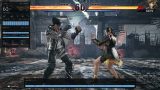

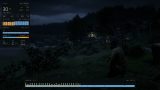
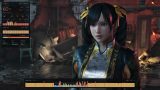
About fps-monitor-panel
A corner panel over PS5 and PS4 games: the frame rate over the last half second, the average and the 1% low over ten seconds, the frame time, a session row and a stability bar. Stalls over 100 ms show in red with their length, and a frame-time graph runs along the bottom of the screen. The last row has the CPU load and temperature, the GPU temperature and power, and memory in use. The panel is drawn by the system UI. The overlay, the frame sampler and the support code come from LightningMods' HyperHEN.
There are four detail levels and four colour themes, and the position, size and opacity can be changed. The settings page is on port 1994, from a phone or PC on the same network, or from the FPS-Monitor-Panel tile the payload adds to the Media tab, which opens the page in the PS5 browser. Changes show within a second, mid-game, and are kept in /data/fps-monitor/config.ini.
Controller shortcuts, in a game or on the home screen:
- Touchpad pressed three times: overlay on or off
- Hold L2 + L3: next detail level
- Hold L2 + R3: next position
The game still gets those presses, and if onionHEN's L2 + R3 Toolbox shortcut is on, both react. Send the ELF to your ELF loader. It runs until the console is turned off and comes back after rest mode, but has to be sent again after a reboot. The author warns against running it next to another performance overlay, since both would draw at once. On 13.x, adding the tile also registers any other unknown app folders under /user/app. The developer lists firmware 13.60 for the tile.
Release notes
v1.0.0 · fps-monitor v1.0.0 · Nov 10, 2026
A home-screen tile that opens the settings page on the PS5 itself, and controller shortcuts to change the overlay mid-game without a phone.
PS5 home screen, Media tab: the FPS-Monitor-Panel tile selected, with a Start button The settings web app open in the PS5 browser
New
- Home screen tile: an FPS-Monitor-Panel tile in the Media tab. Press Start and the settings page opens in the PS5 browser.
- Added automatically the first time the payload runs (at the earliest two minutes after boot).
- Turn it on or off with the Home screen shortcut switch in the web app's Home screen card. Once you turn it off, it stays off.
- Tested on firmware 13.60. On 13.x, adding it also registers any other unknown app folders under
/user/app. - Controller shortcuts, in a game or on the home screen:
| Shortcut | Does |
| --- | --- |
| Press the touchpad three times (within half a second each) | Overlay on / off |
| Hold L2 + L3 for one second | Next detail level: minimal, compact, panel |
| Hold L2 + R3 for one second | Next position: top left, center, right, then bottom |
- A shortcut's change is saved to
config.ini, like a save from the web app. - The buttons still reach the game: a game that opens a map on the touchpad press sees all three presses.
- If you turned on onionHEN's L2 + R3 Toolbox shortcut, both react.
Notes
- More
home tileandcontroller shortcutlines in/data/fps-monitor/fps-monitor.log, for bug reports. See Troubleshooting in the README.
Install: send fps-monitor-1.0.0.elf to your PS5's ELF loader. If an older version is running, reboot first (a second copy exits with already running).
SHA-256: f8b0e972926ffff408e0ebe0fb9e61195c3fdf6a8bd1370fc635cdf5aa3d757f
Built from commit 81919b4.