

FileDen v0.0.1 by realLesiedd
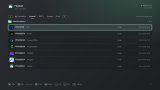
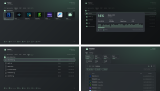
File manager on the TV with background copy jobs, ZIP, 7z and RAR, game icons, an image viewer and a web page for your phone
Install on your PS5
App folder (.zip): unzip FileDen-PPSA99923.zip and copy the PPSA99923 folder to /data/homebrew/ on the PS5, over FTP or from a USB drive. Some apps also need their title ID added to etaHEN's app list: the release notes say.
Payload: start elfldr 0.25 or newer on the PS5 first. It listens on port 9021. Then press Send to PS5 beside the file under Files, on a computer or phone on the same network. elfldr downloads the payload and runs it, so the PS5 needs to be online.
Files
| File | Size | SHA-256 | |
|---|---|---|---|
| FileDen-PPSA99923.zip | 3.6 MB | f127dfe5…4d75 | Download |
| fileden.elf | 8.4 MB | 69897f43…bbda | Send to PS5 Download |
Screenshots

About FileDen
Copy, move, rename and delete, with multi-select and undo for the last rename or move. Big jobs run in the background with speed and time left, and you can queue more and keep browsing. It extracts ZIP, 7z, RAR and RAR5, TAR, ISO and more, with passwords, and makes ZIP, 7z or TAR archives.
Title folders and .pkg files show their icon and name. There's a grid view, an image viewer that opens the PS5's HDR .jxr screenshots, a text editor, SHA-256 and permissions, favourites and five themes. PS5 system files are locked so they can't be changed.
The page at http://<PS5 IP>:9923/ takes files dragged in from a phone or PC, and downloads them too.
It needs kstuff and ShadowMountPlus. Copy the PPSA99923 folder from the zip to /data/homebrew/ and add it with ShadowMountPlus. fileden.elf is the web page on its own, without the app.
Controls:
- Cross opens, Circle goes back (hold to close)
- L1 and R1 change tab, L2 and R2 jump to the first or last item
- Triangle selects (hold to select all), Square opens the menu
- L3 switches grid and list, R3 sorts, the touchpad shows job progress, Options opens settings
Release notes
v0.0.1 · FileDen v0.0.1 · Nov 4, 2026
A file manager for jailbroken PS5 consoles, with a web UI for your phone.
What it does
- Copy, move, rename and delete, with undo for the last rename or move
- Extract and make ZIP, 7z and RAR archives, with passwords
- Run big jobs in the background, with a queue
- Show game and app icons for homebrew, installed apps and
.pkgfiles - Grid view, image viewer and text editor
- Keep PS5 system files locked so they can't be changed
Install
- Copy the
PPSA99923folder fromFileDen-PPSA99923.zipto/data/homebrew/. - Add it with ShadowMountPlus and open FileDen.
- Optional: open
http://<PS5-IP>:9923/on a phone or PC.
Needs a jailbroken PS5 running kstuff and ShadowMountPlus. fileden.elf is the web UI on its own, without the app.
SHA-256
f127dfe5426e537151a7d722aea29a22ac068b592025f7cc5af424f1e9d94d75  FileDen-PPSA99923.zip
69897f43f8dbcb51be23d4c25ef99d0b758e652ae6ebd7bdfe859864f3f0bbda  fileden.elf