
ezRemote Client v2.22 by cy33hc
Two-pane file manager in the style of FileZilla for FTP, SFTP, SMB, NFS, WebDAV and HTTP servers, with archive tools, a package installer and a web interface
Install on your PS5
Payload: start elfldr 0.25 or newer on the PS5 first. It listens on port 9021. Then press Send to PS5 beside the file under Files, on a computer or phone on the same network. elfldr downloads the payload and runs it, so the PS5 needs to be online.
Files
| File | Size | SHA-256 | |
|---|---|---|---|
| ezRemote-Loader-1.02.elf | 7.0 MB | ae5b9593…43da | Send to PS5 Download |
Screenshots
About ezRemote Client
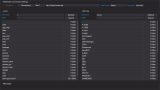
It shows the console's own storage on one side and a remote server on the other, in the style of FileZilla. It connects to FTP, SFTP, SMB, NFS, WebDAV and HTTP servers, Internet Archive download pages and the releases of GitHub projects. Copy, move, rename and delete files on the console or a USB drive, make zip files, extract zip, 7z and rar archives, and edit text files up to 32 KB, such as .ini, .json and .conf.
It installs PS4 and PS5 packages from the console, a USB drive, any of those servers or from inside a zip. A package can be downloaded to a temporary folder first or sent straight to the installer, with an optional disk cache for slow networks. With ezRemote Server running, installs and big downloads carry on in the background after you close the app. Several jobs can run at once, and the Activities window shows each one's progress and can cancel it. The developer gets the fastest installs with neither etaHEN nor kstuff loaded.
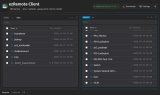
While the app is open, a page on port 9090 at the console's address does the same jobs from a phone or PC, and also uploads and downloads files and shows pictures. A password can be set in Global Settings, but the developer says it isn't secure, so keep the page on your home network. With ezRemote Server running, http://<PS5 IP>:6701/start_client.html starts the app from a browser.
Extract ezremote-client.zip to /data/homebrew/. The .pkg adds a home-screen icon that starts the app through elfldr, and ezRemote-Loader.elf is for Payload Manager, where it installs, updates and starts the app. Since 2.17 the app updates itself. The developer lists support for firmware 14.20 and 14.22 from version 2.21.
Controls:
- L1 and R1: local or remote file list
- Square: mark files and folders
- Triangle: menu for the marked files
- Circle: leave the file list or close a window
- L2: up one folder
- Options: quit
Release notes
v2.22 · Nov 18, 2026
Changes
- Add option to run the app with Web UI only.
- In web ui mode, the console ui will be hidden and the app will run as a daemon, you can play game while the app is running in the background
- By default this is disabled. Enable it in the Global Settings and then restart the app.
- ezRemote Loader updated to only load ezRemote Client if it isn't started.
Info
- ezremote-client.zip - main application files to be extracted to /data/homebrew folder
- ezRemote-Loader..elf - application loader intended to be use from Payload Manager
- PS5_ezRemote_Client_4.00.pkg - Install icon on the PS5 dashboard that load the application via elfldr http endpoint
- Launch "ezRemote Client" remotely from a browser using the following URL. NOTE: For this, you need to have started ezRemote Server v1.15 and newer
http://\<\<PS5 IP\>\>:6701/start_client.html