

ez-webdav-server v1.02 by cy33hc
WebDAV server payload, so a PC can open the PS5's storage as a network drive through Windows Explorer, rclone or a Linux file browser
Install on your PS5
Payload: start elfldr 0.25 or newer on the PS5 first. It listens on port 9021. Then press Send to PS5 beside the file under Files, on a computer or phone on the same network. elfldr downloads the payload and runs it, so the PS5 needs to be online.
Files
| File | Size | SHA-256 | |
|---|---|---|---|
| webdav-server-ps5.elf | 289 KB | 4340fbfb…e7a2 | Send to PS5 Download |
Screenshots
About ez-webdav-server
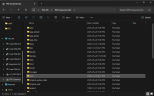
Send webdav-server-ps5.elf to the ELF loader on port 9021. The console shows that the WebDAV server is starting on port 8880. To stop it, open http://<PS5 IP>:8880/stop in a browser or with curl. It answers as a WebDAV server of Class 1 and acts as Class 2, so Windows can map it as a network drive.
The developer recommends rclone. Make a new WebDAV remote with the URL http://<PS5 IP>:8880, choose Owncloud 10 PHP based WebDAV server as the vendor (the only choice the developer found that doesn't cache), and leave the user, password and token empty. Then mount it with rclone mount PS5:/ Z: --vfs-cache-mode off --dir-cache-time 5s. On Linux, type dav://<PS5 IP>:8880 into the file browser's address bar.
Windows Explorer's own WebDAV is limited to 50 MB files and a 60 second upload timeout, and it caches, so a copy can look finished while it's still going to the console. The server has no login. The author adds that rclone can mount an FTP server too, so this isn't really needed.
Release notes
v1.02 · Oct 10, 2026
- increased the socket snd/rcv buffer to 2mb. improves the upload/download speed on ps4/ps5