

Estante v0.5.5 by kauansilvalopes
Organises your PS5 and PS4 games, plus some emulator libraries, into shelves and collections of your own
Install on your PS5
App folder (.zip): unzip Estante-v0.5.5-PPSA99841.zip and copy the PPSA99841 folder to /data/homebrew/ on the PS5, over FTP or from a USB drive. Some apps also need their title ID added to etaHEN's app list: the release notes say.
Files
| File | Size | SHA-256 | |
|---|---|---|---|
| Estante-v0.5.5-PPSA99841.zip | 7.5 MB | b3424449…3c84 | Download |
Screenshots
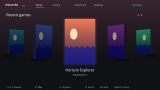

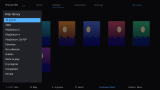
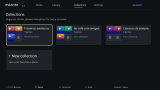
About Estante
PS5 and PS4 titles come in through Elf Arsenal. It also imports games from the standard /data folders of PS5SX2, SwanStationPS5, Porpoise and PS5-ECAM. Choose one of those and Play opens the emulator, where you pick the game. Open each emulator at least once first. Game folders on USB or M.2 aren't imported.
Elf Arsenal and ShadowMountPlus are both required. The developer lists firmware 11.60. Portrait covers can be added with tools/ps5_covers_sync.py from the source, otherwise it uses square art. Five colour themes, in English, Portuguese or Spanish.
Release notes
v0.5.5 · Estante 0.5.5 · Oct 26, 2026
Estante now has its own home-screen backgrounds: one while it is selected on the home screen and one while it launches.
Added
- Home-screen background (selected) and launch background.
- README: Nintendo Switch games from ProsperoEden are listed, and the background note below.
Install
Unzip Estante-v0.5.5-PPSA99841.zip and copy the PPSA99841 folder to /data/homebrew/ (ShadowMountPlus registers it).
Important if you are updating
The console only reads a home-screen background when an app is registered. If you update from an older version and the background does not show, uninstall Estante and install it again. A fresh install shows it right away.
Requirements: jailbroken PS5 (only firmware 11.60 tested), Elf Arsenal and ShadowMountPlus.
O Estante agora tem plano de fundo próprio na tela inicial: um enquanto ele está selecionado e outro no lançamento.
Novo
- Plano de fundo na tela inicial (selecionado) e no lançamento.
Se você está atualizando
O console só lê o plano de fundo quando o app é registrado. Se você atualizou de uma versão anterior e o fundo não apareceu, desinstale o Estante e instale de novo. Uma instalação nova mostra o fundo na hora.