

DualSense overlay v1.0.1 by erickdavestech
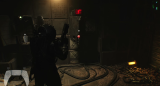
Draws a DualSense over the game you're playing and lights up each button as you press it
Install on your PS5
Payload: start an ELF loader on the PS5 first, such as elfldr, which listens on port 9021. Then open this address in a browser on a computer or phone on the same network, with your PS5's address in place of PS5. elfldr downloads the payload and runs it.
http://PS5:9021/?uri=https%3A%2F%2Fstore.brewology.com%2Fdl%2F2534%2Fps5-dualsense-overlay-v1.0.1.elf
Files
| File | Size | SHA-256 | |
|---|---|---|---|
| ps5-dualsense-overlay-v1.0.1.elf | 1.1 MB | 3790c590…9747 | Download |
Screenshots

About DualSense overlay
Load it once per boot. It waits for a game, shows up when one opens and redraws itself when you switch. A second copy on top, or running it next to Common FPS or SimpleFPS, ends in a System Software Error, since all three work inside the same system process.
The developer lists firmware 13.60. The PS button and Mute never light up, and the position and size are fixed.
Release notes
v1.0.1 · ps5-dualsense-overlay v1.0.1 · Oct 4, 2026
On-screen DualSense controller overlay for a PS5 running homebrew. Load it once per boot, open any game, and the controller appears bottom-left, lighting up in real time.
Download
ps5-dualsense-overlay-v1.0.1.elf — SHA-256 in SHA256SUMS.txt:
3790c590088b275a8d803c7c46394af6c7e0d8ede2546c0507a05a246fbf9747 ps5-dualsense-overlay-v1.0.1.elf
What's Changed in v1.0.1
Fixed
- Overlay freeze after Rest Mode (sleep/resume): Fixed issue where
sceUserServiceGetForegroundUserreturning0xffffffff(-1) during console standby or before logging into an account caused pad initialization to permanently fail, leaving the overlay visible on screen but completely frozen. - Controller disconnect / standby recovery: If
scePadReadStatefails continuously for 15 consecutive frames (e.g. controller turned off, Bluetooth drop, or system suspend), the dead handle is now safely closed viascePadCloseand re-acquired automatically as soon as the controller is back online.
Added
- Periodic foreground user detection: The overlay now checks for foreground user account switches every ~2 seconds and re-binds the pad handle when switching local accounts.
- Non-blocking pad initialization retry: Periodic retry every 30 frames (~0.5s) if user or handle was not immediately ready at startup.
Usage
- Jailbreak the console as usual (tested with kstuff-lite).
- Load
ps5-dualsense-overlay-v1.0.1.elfwith your payload manager, in either of these ways:
- Web portal: from a PC or phone on the same network, open the payload manager's portal using the console's local IP and upload the
.elf. - USB: copy the
.elfto a USB drive, connect it to the console and launch it from the payload manager.
- Open any game.
Load it only once per boot, and do not run it together with Common FPS or SimpleFPS: they inject into the same system process. To update, reboot and load the new version.
Compatibility
Tested on a PS5 Slim (CFI-2015) with system software 13.60 and kstuff-lite. System software 11.xx–13.50 is allowed by the code but untested.
Known limitations
- The PS button cannot be read (the system intercepts it).
- The Mute button is disabled (the controller only reports the momentary press).
Credits
Based on Common FPS for PS5 by porhe911 and the SimpleFPS patch by khalifa007. Controller artwork: "PS5 Button Icons and Controls" by Zacksly (CC BY 3.0, modified). Built with the PS5 payload SDK, etaHEN and shsrv sources. Full credits in CREDITS.md.
License
GPL-3.0-or-later; the artwork remains CC BY 3.0. The complete corresponding source for this binary is tag v1.0.1 (source archives attached below). Rebuilding the tag reproduces the ELF byte for byte.
PlayStation, PS5 and DualSense are trademarks of Sony Interactive Entertainment Inc. This project is not affiliated with or endorsed by Sony. See the legal notice.
Full Changelog: https://github.com/erickdavestech/ps5-dualsense-overlay/compare/v1.0.0...v1.0.1