

DOOM v1.1.1 by lowbit
id Software's original DOOM source as a native PS5 title, with the shareware episode and room for your own WADs
Install on your PS5
App folder (.zip): unzip PPSA99666.zip and copy the PPSA99666 folder to /data/homebrew/ on the PS5, over FTP or from a USB drive. Some apps also need their title ID added to etaHEN's app list: the release notes say.
Files
| File | Size | SHA-256 | |
|---|---|---|---|
| PPSA99666.zip | 2.2 MB | 4d8e5b78…1b5f | Download |
Screenshots

About DOOM
It needs kstuff and ShadowMountPlus. The developer lists firmware 13.00.
There are three ways to add games. In the game list choose Add games, then Send from PC or phone, and drop the files on the page the screen shows, or scan its QR code. You can also type a link on the console keyboard to download from. Or copy the files to /data/homebrew/PPSA99666/wads/. ZIP, 7Z and RAR archives are fine: it takes out the WADs it knows and skips the rest.
R2 fires, L2 runs, Cross or Square uses things, and L1 and R1 change weapon. Triangle or the touchpad opens the automap. Read This in the main menu shows the full list. Each game keeps its own saves.
Release notes
v1.1.1 · DOOM for PS5 v1.1.1 · Oct 6, 2026
Sending games from a PC or phone now keeps full speed with large archives, and going back during a transfer no longer freezes the screen.
<p align="center">
<img src="https://github.com/lowbit/ps5-doom/raw/v1.1.1/screenshots/send-screen.png" width="49%" alt="The send screen on the TV, receiving the DOOM + DOOM II collection 7Z">
<img src="https://github.com/lowbit/ps5-doom/raw/v1.1.1/screenshots/upload-page.png" width="49%" alt="The same transfer on the page in a PC browser">
</p>
What's new
- Large files at full speed. A big archive used to slow down the longer it ran: the 643 MB DOOM + DOOM II collection 7Z fell to 0.4 MB/s past 400 MB and took over ten minutes. It now arrives at the network's speed the whole way, about a minute on a wired PS5, and its games are added a few seconds later.
- Circle stops a transfer at once. Going back while a file was arriving froze the screen until the file was done. It now stops right away and removes the partial file.
- No stalls in the browser. Browsers open spare connections, and the console waited on a quiet one for up to 30 seconds before answering anything else. It now answers whichever connection asks first, and replies no longer wait on Windows' delayed acknowledgements.
<p align="center">
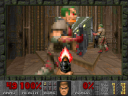
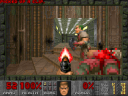
<img src="https://github.com/lowbit/ps5-doom/raw/v1.1.1/screenshots/shooting.png" width="49%" alt="DOOM II, MAP01: firing the pistol at a zombieman">
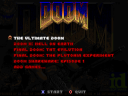
<img src="https://github.com/lowbit/ps5-doom/raw/v1.1.1/screenshots/launcher.png" width="49%" alt="The game list">
</p>
Install
- Download
PPSA99666.zipand check it againstPPSA99666.zip.sha256. - Extract it and copy the
PPSA99666folder to/data/homebrew/(FTP, ps5upload or USB). Copying over an earlier version keeps your games, saves and settings. - ShadowMountPlus registers it within a few seconds and DOOM appears on the home screen.
Needs a jailbroken PS5 with kstuff and ShadowMountPlus. Tested on firmware 13.00.
The package contains no commercial game data. See the README for controls and licenses/ in the package for the third-party notices.
SHA-256 of PPSA99666.zip: 4d8e5b785b61696fbf1988c2d0d87c5c977734ff60b1ce11cc49134b0e711b5f