

Discord RPC & Voice Chat v2 by itsthepoopooman
Discord Rich Presence straight from the PS5: shows the game you play with its icon, joins voice channels and adds a Kabuki overlay card, set up in a web dashboard
Install on your PS5
Payload: start elfldr 0.25 or newer on the PS5 first. It listens on port 9021. Then press Send to PS5 beside the file under Files, on a computer or phone on the same network. elfldr downloads the payload and runs it, so the PS5 needs to be online.
Files
| File | Size | SHA-256 | |
|---|---|---|---|
| discord_rpc.elf | 1.2 MB | b87c047e…17c4 | Send to PS5 Download |
Screenshots


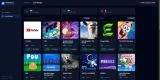
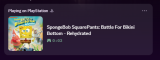
About Discord RPC & Voice Chat
A background payload that signs in to your Discord account and shows the game you're playing as your status, with the time played and the game's icon. It clears the status when the game closes and starts the timer again when you switch games. No PC is needed.
Set it up from the dashboard at http://<PS5 IP>:6767 on a phone, a PC or the console's browser. Sign in by scanning a QR code with the Discord app on your phone, through Discord's web login, with your email, password and 2FA code, or by pasting a token. The dashboard sets custom buttons, hides games you don't want shown, and has a voice tab to pick a server and join a voice channel, with mute, deafen and disconnect.
Send discord_rpc.elf to the ELF loader on port 9021, and a notification gives the dashboard's address. With Kabuki running, hold L3 + R3 in a game for a Discord card to mute, deafen or leave the channel.
For icons it uploads each game's icon0.png to Catbox, a public image host, once, and uses Sony's or Steam's artwork when there's no local icon. Settings and your Discord token are kept in /data/discord_rpc/config.json.
Release notes
v2 · v2 - PS5 Discord RPC & Voice Chat · Oct 24, 2026
What's New in v2
- Discord Voice Chat (VC) Support:
- Full voice channel browser directly inside the Web UI (http://<PS5_IP>:6767).
- 1-click Join Voice Channel sending Gateway Opcode 4 (marks you active in voice across all Discord clients).
- Live controls for Microphone Mute, Audio Deafen, and Disconnect.
- In-Game Overlay (1:1 Kabuki PS5 Integration):
- Connects to the local Kabuki overlay daemon (127.0.0.1:38590).
- Hold L3 + R3 on your DualSense controller at any time while playing to open the Discord Control card.
- View connected channel, toggle mic mute, toggle deafen, disconnect from voice, and see current Rich Presence without leaving your game.
- Multiple Discord Login Methods:
- QR Code Remote Auth (scan with Discord mobile app)
- Embedded Webview browser login with automated token capture
- Email + Password login with Two-Factor Authentication (2FA) support
- Direct token paste fallback
- Pure Native PS5 Daemon:
- Zero background controller conflicts; all in-game overlay rendering is handled natively through ShellUI.
- Single-instance protection and true UTC wall-clock synchronization.