

DevTools v0.1.0 by griches
Crash reports with backtraces, and live memory and CPU graphs, for homebrew on the PS5, on a dashboard in your browser
Install on your PS5
Payload: start elfldr 0.25 or newer on the PS5 first. It listens on port 9021. Then press Send to PS5 beside the file under Files, on a computer or phone on the same network. elfldr downloads the payload and runs it, so the PS5 needs to be online.
Files
| File | Size | SHA-256 | |
|---|---|---|---|
| ps5devtools.elf | 267 KB | f5289ed2…fc0b | Send to PS5 Download |
Screenshots
About DevTools
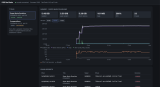
A resident payload that attaches to homebrew titles as their debugger. When one crashes it saves the signal, the fault address, every thread's registers and backtrace, a copy of the stack, the loaded modules, the code at the fault and the last two minutes of memory use, then hands the crash back to the system. A notification on the TV says the report is saved. It also samples every title's memory, split into GPU memory and heap, with CPU and threads, once a second for the last hour, and shows the console's own error history.
Send ps5devtools.elf to the ELF loader on port 9021 and open port 9113 at the console's address in a browser on the same network. Reports are kept in /data/devtools/crashes/. A player can download one as JSON and send it to the title's developer, whose host tool, tools/ps5devtools.py, finds the matching build and turns the addresses into function names and source lines.
Titles with a folder in /data/homebrew are watched for crashes, or list title IDs, all or none in /data/devtools/watch.txt. Only one debugger can attach to a title, so don't run gdbsrv or ps5debug on one DevTools watches. Stop it with the quit command, not by killing it, so it detaches first. The dashboard has no password. The developer lists firmware 13.60 only.
Release notes
v0.1.0 · PS5 DevTools 0.1.0 · Oct 14, 2026
The first release: crash reports and memory graphs for homebrew on a jailbroken PS5.
To use it: send ps5devtools.elf to your ELF loader (port 9021), then open http://<console>:9113/ in a browser on the same network. Or clone the repo and run tools/ps5devtools.py load, then tools/ps5devtools.py serve for the dashboard with function names.
- Attaches to every homebrew title (folders in
/data/homebrew) as its debugger. A crash is saved to/data/devtools/crashes/with registers, every thread's backtrace, the stack, modules, code at the fault and the two minutes of memory use before it, and the TV shows a notification. - Samples every title's memory (GPU/direct memory, heap, other), CPU and threads once a second, for the last hour.
- Shows the console's own error history.
- On the machine that built the title,
tools/ps5devtools.py reportturns a report into function names and source lines, including a report a player sends as a.jsonfile.
Tested on firmware 13.60 only, with Super Mario Sunshine and SwitchWaker. Stop it with tools/ps5devtools.py quit (or POST /api/quit), never by killing it: it detaches from your titles first.
SHA-256 of ps5devtools.elf: f5289ed268a0549d593ffcdca41ce86312ccaf76995ceea3dd48b076a6c8fc0b