
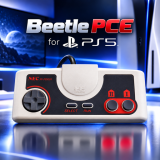
Beetle PCE v1.1.1 by MisterTemaki
Mednafen's PC Engine emulator as a native PS5 app: HuCards, SuperGrafx and CD-ROM² games on one shelf, from the console, USB or a network share
Install on your PS5
App folder (.zip): unzip BeetlePCEPS5-v1.1.1-PPSA99925.zip and copy the PPSA99925 folder to /data/homebrew/ on the PS5, over FTP or from a USB drive. Some apps also need their title ID added to etaHEN's app list: the release notes say.
Payload: start elfldr 0.25 or newer on the PS5 first. It listens on port 9021. Then press Send to PS5 beside the file under Files, on a computer or phone on the same network. elfldr downloads the payload and runs it, so the PS5 needs to be online.
Files
| File | Size | SHA-256 | |
|---|---|---|---|
| BeetlePCEPS5-v1.1.1-PPSA99925.zip | 26.6 MB | ce29038a…874c | Download |
| BeetlePCEPS5-v1.1.1.elf | 20.4 MB | 0afc6b15…1c1a | Send to PS5 Download |
Screenshots
About Beetle PCE
Beetle PCE, the libretro port of Mednafen's PC Engine module, in a home-screen app with a 3D cover shelf. One app plays PC Engine and TurboGrafx-16 HuCards, SuperGrafx, CD-ROM², Super CD-ROM², Arcade CD-ROM² with the Arcade Card, and Games Express discs. TurboGrafx-16 dumps with reversed data lines are put right when they start.
No games are included. HuCards (.pce, .sgx, also inside .zip or .7z) and CD images (.cue with its tracks, .chd, .ccd, .toc, .m3u) go in /data/pce/roms/PCEngine, SuperGrafx or PCEngineCD, or the same folders under pce/roms on a USB drive. SMB and NFS shares work too. CD games need the image of your own System Card in /data/pce/bios/, syscard3.pce for most of them.
There are save states, rewind, fast forward, the TurboTap for up to four players, the 6-button pad, turbo switches, CRT shaders and updates from GitHub. The menus are in English, Spanish, Portuguese (Brazil), French or German. The author hadn't run 1.1.1 on a PS5 before release and asks for reports of what works.
It needs kstuff (or kstuff-lite), an ELF loader on port 9021 and ShadowMountPlus. Send BeetlePCEPS5-v1.1.1.elf once: it installs the app in /data/homebrew/PPSA99925/ and stays running as its helper.
- L3 + R3: pause menu
- Touchpad click: Select, Options: Run
- L2 + Up or Down: save or load a state
- Hold R2: fast forward
- Hold L2 + R2: rewind
Release notes
v1.1.1 · Beetle PCE PS5 1.1.1 · Oct 24, 2026
Beetle PCE PS5 1.1.1
Fixed
- A card for a game without a cover shows a PC Engine pad with its two round buttons (II, I). Before, it showed the four coloured buttons of a Super Nintendo pad, left over from Snes9x PS5. Thanks to CroCop86 for the report (genplusgxPS5#4).
- CD games on network shares:
- On a slow link, the running game's own read-ahead now goes before the CD's background prefetch.
- Blocks already kept for an earlier track are no longer counted twice against the prefetch budget.
- When a
.cue's.binmixes 2048- and 2352-byte tracks, each track's start is now fetched ahead at the right place. Music tracks in.wav/.oggfiles only have their own start fetched. - A socket's non-blocking switch now stays in step with the console's.
Files
BeetlePCEPS5-v1.1.1.elf: send it to your payload loader (port 9021).BeetlePCEPS5-v1.1.1-PPSA99925.zip: the app folder, used by Settings > Updates. You don't need to download it yourself.pce-ps5-v1.1.1-src.zip: the source, including libsmb2 and libnfs (LGPL-2.1).
Status
It passes 429 host tests (the same code on Linux, the PS5 calls simulated). The new card was checked on the host's rendered screens. The network shares and .7z support have not been run on a PS5 yet. Please report what works and what doesn't, with Settings > Debug logs on (the logs are in /data/pce/logs/).
Licences: Beetle PCE (Mednafen) GPL-2.0-or-later, and the builds with it; the port's new code MIT; libsmb2 and libnfs LGPL-2.1-or-later; the LZMA SDK public domain. Port by MisterTemaki.