

App Title v0.2.16 by porhe911
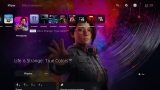
Shows each game's and app's title ID, such as CUSA00001 or PPSA03846, above or below its icon on the PS5 home screen
Install on your PS5
Payload: start elfldr 0.25 or newer on the PS5 first. It listens on port 9021. Then press Send to PS5 beside the file under Files, on a computer or phone on the same network. elfldr downloads the payload and runs it, so the PS5 needs to be online.
Files
| File | Size | SHA-256 | |
|---|---|---|---|
| App_Title_v0.2.16.elf | 292 KB | 1cce3504…7b0d | Send to PS5 Download |
Screenshots
About App Title
The IDs go under the icons in white by default, outside the artwork. They can go above instead, or inside the image, in one of eight preset colours or any six-digit hex colour. The change is made in memory, and icons and system files aren't overwritten.
On firmware 4.03 and 11.60 the payload adds a Media, App Title shortcut that opens its settings. The settings are in Russian and work with the D-pad and Cross, and Save or Options applies them. On 13.60 there's no shortcut, so set /data/AppTitle/config.ini over FTP before loading it. The shortcut stays after a reboot, but the IDs and the settings need the ELF loaded again, so put it in your autoload.
It needs a jailbreak with a privileged ELF loader, and etaHEN isn't required. Wait 20 to 30 seconds after loading it. Do a full reboot before loading a new version over an old one, and don't load two versions in the same session. The developer lists firmware 4.03 and 11.60, and 13.60 through a profile from estate737.
Release notes
v0.2.16 · App Title v0.2.16 · Nov 21, 2026
App Title v0.2.16
A single standalone PS5 ELF with HomeUI profile support for 4.03, 9.05, 11.60 and 13.60.
Changes
- Added PS5 9.05 Hermes v89 HomeUI support and corrected outside-icon Title ID placement.
- Fixed the 9.05 register conflicts in the style and Tile renderer (preserve R8; use spare R10/R19).
- Preserved existing exact HomeUI profiles, Media/FTP settings, colours, ID position and original image handling.
- Standardized the version and filename:
App_Title_v0.2.16.elfwith internal0.2.16and consistent startup notifications. - Kept precise per-profile checks; no Sony firmware or decrypted HomeUI files are shipped.
v0.2.16 ELF SHA-256: 1cce350410947f0901d2b03c11712fc577522f574454cc3d8aea2666ef1f7b0d (299400 bytes).
Console verification: the 9.05 R3 candidate was confirmed working by the project owner on 2026-11-21. The normal v0.2.16 rebuild is mechanically based on that fix but has a different binary checksum due to version changes. Its build, ELF verification, tests and checksums are independently validated; it has not yet been rechecked on-console as v0.2.16.
Install
Replace the existing payload/autoload entry with App_Title_v0.2.16.elf, fully reboot, jailbreak and launch the new ELF once. On supported firmware with the Media shortcut, choose Outside icon → Below icon, then Save. Never load two resident versions in one boot.
Legacy and limitations
Original v0.2.15 remains available for rollback. The temporary firmware-specific v0.2.15-fw905 release is retired in favour of the regular versioning scheme.
Other firmware/HomeUI revisions are not claimed supported. Firmware 12+ Media shortcut registration remains unavailable. Long-duration stability and every screen/colour combination are not certified.