

AnyACE v0.9.3-beta by Ace
DualShock 4, Xbox, Switch Pro, 8BitDo and other Bluetooth or USB pads on the PS5 as virtual DualSense pads, up to eight, with a web menu to pair and remap
Install on your PS5
Payload: start elfldr 0.25 or newer on the PS5 first. It listens on port 9021. Then press Send to PS5 beside the file under Files, on a computer or phone on the same network. elfldr downloads the payload and runs it, so the PS5 needs to be online.
Files
| File | Size | SHA-256 | |
|---|---|---|---|
| AnyACE-PS5-0.9.3-beta.elf | 438 KB | bdfe6133…6207 | Send to PS5 Download |
Screenshots

About AnyACE
AnyACE is a resident payload that drives the console's own Bluetooth chip and USB ports and hands every pad to the system and to games as a virtual DualSense. Over Bluetooth that's DualShock 4, Switch Pro, Xbox One and Series, 8BitDo and other HID gamepads. Over USB it's Xbox One and Series pads and clones, Xbox 360 pads, the 360 wireless receiver and 2.4 GHz dongles, DualShock 4 and 3, Switch Pro and other HID pads. Up to eight at once, four by Bluetooth and four wired. It's a fork of sinfiltros's AnyPad PS5, with a pairing picker, a new menu, remapping, settings and the wired pads added.
Send AnyACE-PS5-<version>.elf to the loader on port 9021, or import it into Payload Manager and add it to your autoload. A notification shows the menu address on port 8095, for a phone, a PC or the PS5's browser, and up to firmware 13.4x there's also an AnyACE tile in the Media row. Add a second console user first: games only take a pad from the user who owns it, so give the new pads to that user when the console asks, and tap PS on the pad to make it the active one.
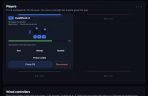
In the menu, Search for pads lists what it finds for 60 seconds, and you pair the one you want. Nothing pairs by itself, and a DualSense is only paired after you confirm, so your own pad isn't taken by mistake. Wired pads are picked up when you plug them in. Each pad's card shows its sticks, triggers, buttons and battery live, with buttons to try every input, remap, rumble, press PS for pads without one, and disconnect. Remaps are saved per pad model in /data/anypad/remap/.
The author calls it a beta. Rumble from games doesn't reach the pads yet. On 13.60 the Media tile can't be installed and Bluetooth LE pads, such as Xbox Series over Bluetooth, can't be paired. It stops in rest mode, so start it again after waking, and don't run it with OmniPad-PS5, which shares its state folder. The developer lists firmware 4.xx to 13.60 and runs it on 11.60 and 13.60.
Release notes
v0.9.3-beta · AnyACE 0.9.3-beta · Nov 17, 2026
AnyACE lets a jailbroken PS5 use controllers it does not accept on its own (DualShock 4, Xbox, Switch Pro, 8BitDo, 2.4 GHz dongles and most other Bluetooth or USB gamepads), presenting each one to the system and to games as a virtual DualSense. It drives the console's own Bluetooth chip and USB ports; no dongle, no game patches, no firmware changes. First public release; a beta.
Downloads
| File | What it is | SHA-256 |
|---|---|---|
| AnyACE-PS5-0.9.3-beta.elf (438 KB) | The payload. This is the only file you need on the console. | bdfe6133be9bba4d85d5ed4763874fa1a6b7c1982c6f6379919be3e29b6c6207 |
| AnyACE-PS5-0.9.3-beta.elf.sha256 | Its checksum, for shasum -a 256 -c. | |
| AnyACE-PS5-0.9.3-beta-source.zip (1.2 MB) | The complete source tree at this tag (C11, tests, the web page, the tools), with the same ELF under dist/. | def1e507a14c3bacf60547751dc8501574eee25ca747eb2a6f1f4d16696d4e39 |
Requirements
- A jailbroken PS5 on firmware 4.XX to 13.60, tested on 11.60 and 13.60, with a payload loader (the usual chain: kstuff, then a loader on port 9021; Payload Manager also works).
- A phone, PC or the console's own browser on the same network, for the menu.
- A second console user (Settings → Users and Accounts → add user). Games only take a pad from the user who owns it, and your DualSense's user already has one, so other pads are given to that second user. The README explains it step by step.
Install
- Send
AnyACE-PS5-0.9.3-beta.elfto the console's loader, or copy it to a USB drive and import it into Payload Manager. It can be put in your autoload list. - A notification shows the menu address, e.g.
http://192.168.1.50:8095. Open it. On firmware up to 13.4x an AnyACE tile also appears in the Media row. - Bluetooth: press Search for pads, put the pad in pairing mode, tap Pair on it when it appears, choose the second user when the console asks. Wired: just plug the pad into a USB port.
Do not run AnyACE together with OmniPad-PS5 (a fork of the same code): it shares the state folder and stops AnyACE when it starts.
Controllers
| Connection | Verified on a console | Supported, waiting for reports |
|---|---|---|
| Bluetooth Classic | DualShock 4; 8BitDo SN30 Pro (Xbox and Switch modes) | Switch Pro and NSO pads, DualSense, Xbox One S (Classic firmware), any Bluetooth HID gamepad (read through its descriptor, maps/ files honoured) |
| Bluetooth LE | ASUS ROG Raikiri Pro | Xbox Series / One S (LE firmware) and other LE HID gamepads, with the Battery Service |
| USB | ASUS ROG Raikiri Pro (Xbox protocol) | Xbox One / Series and GIP clones, Xbox 360 and XInput dongles (ShanWan, Machenike, 8BitDo X-mode), the Xbox 360 wireless receiver, DualShock 4, DualShock 3, Switch Pro over USB, any USB HID gamepad |
Up to 8 pads: four Bluetooth (P1–P4) and four wired (P5–P8). See COMPATIBILITY.md for the full id list.
The menu
- Pairing picker: every pad found is listed with its name and signal; nothing pairs by itself, and the console's own DualSense is marked and only paired after a confirmation.
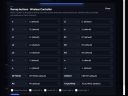
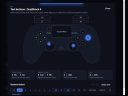
- Player cards with live sticks, triggers, buttons and battery, and the buttons Test (a full-size pad that lights up as the console receives it, with a checklist), Remap (any button to any button or nothing, sticks swapped, axes inverted; saved per pad model), Rumble (test), Press PS (for pads without one), Disconnect.
- Settings: press PS automatically when a pad connects; which user gets the pads.
- Wired controllers list with each pad's protocol, Paired pads with Forget, and the log (show, clear) which is what to send with any report.
Everything that changed since AnyPad-PS5 0.5.5
- 0.6.0: safe pairing (the picker, the DualSense protection, names read before paging); 0.6.1: the whole payload in English, the new menu, Test buttons; 0.6.2–0.6.3: paced and retried picks, pads that call the console answered, picked pads paged the moment they answer the search.
- 0.7.0–0.7.5: wired Xbox pads (ported from FGG-XSense), pad names, Disconnect, idle wired pads no longer re-initialised or dropped, LE connection-parameter requests answered (fixed drops every 43 s), stale chip links closed, Clear log, an unbound virtual pad kept alive so the console's user prompt works, Retry binding.
- 0.8.0–0.8.2: Remap editor, Settings, battery (wired Xbox messages, LE Battery Service), pad-side rumble, compact cards, the Bluetooth chip found by its USB class.
- 0.9.0–0.9.3: wired XInput / 360 receiver / DualShock 4 and 3 / Switch Pro / HID pads over USB, four wired slots, the 13.60 start-up fix (an import that firmware lacks is resolved at run time), a root fallback for firmwares the SDK does not know, the rumble probe.
- Throughout: tests for every parser and the pairing flows against simulated controllers, fuzzed under the sanitizers.
The complete list, build by build, is in CHANGELOG.md.
Known issues
- Rumble from games does not reach the pads yet. Every pad can be rumbled from the menu, but the console gives the owner of a virtual pad no documented way to receive a game's rumble. The Probe rumble button is an experiment towards that: it logs what an undocumented system call returns while you play; send that log if you try it.
- Firmware 13.60: the Media-row tile cannot be installed (open the menu from a browser), and the Bluetooth chip reports no LE advertisements, so LE pads (Xbox Series over Bluetooth, some pads' Bluetooth mode) cannot be paired there. Classic Bluetooth and wired pads work.
- The wired protocols other than Xbox One/Series follow the Linux drivers and have not been verified on hardware yet.
- AnyACE stops when the console enters rest mode; launch it again after waking up (or autoload it).
Reporting a problem
Open an issue with: the console's firmware, the pad (model, Bluetooth or USB), what you did, and the log from the menu (Show log, or http://<console>:8095/api/log). The log names every pad by its ids and says exactly where pairing or input stopped.
Building
make test && make fuzz runs the host tests on macOS or Linux. The console payload is built with the ps5-payload-sdk and Docker: tools/build-elf-docker.sh /path/to/ps5-payload-sdk. See the README.
Author
AnyACE is made and maintained by Ace (blitzaceking-ux). It started from AnyPad-PS5 by sinfiltros and keeps the GPL attributions: the wired Xbox code began as a port of FGG-XSense by FGG STORE, the 13.60 start-up cause was found by Nicolas8aa, and the wired pads' protocol details follow the Linux kernel's drivers. License: GPL-3.0-or-later.