

Afterglow for PS5 v1.7.0 by Hayden Griffin
Music Assistant speaker for the PS5, with artwork, word-by-word lyrics, the queue and MilkDrop visuals
Install on your PS5
App folder (.zip): unzip PPSA99481.zip and copy the PPSA99481 folder to /data/homebrew/ on the PS5, over FTP or from a USB drive. Some apps also need their title ID added to etaHEN's app list: the release notes say.
Files
| File | Size | SHA-256 | |
|---|---|---|---|
| PPSA99481.zip | 8.7 MB | f8694656…375d | Download |
Screenshots
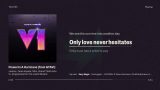
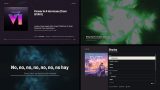
About Afterglow for PS5
It joins your own Music Assistant server, 2.10 or newer, as a speaker called Afterglow PS5. Play to it from Music Assistant or from its own Browse and Search: playlists, albums, artists, radio, podcasts and audiobooks. The queue can be reordered, shuffled, repeated and crossfaded, there's a sleep timer, and the music can move to another speaker or join a sync group.
There are Album, Lyrics and Visuals views. Lyrics come from Music Assistant, or from lrclib.net when it has none, timed by line or by word. The visuals are 395 MilkDrop presets through projectM, and a preset scan keeps the ones that run well on your console. Set the source to another speaker and the PS5 draws what that speaker plays without sounding it, through Music Assistant's MilkDrop Visualizer plugin.
- Cross plays and pauses, L1 and R1 change song
- D-pad left and right jump 10 seconds, up and down set the volume
- Square changes the view, Triangle puts lyrics over the visuals
- L2 and R2 change preset, Options opens the controls and menus
- Hold Circle to close it
Copy the PPSA99481 folder to /data/homebrew/ over FTP and start Afterglow from the media apps. Sign in from Options, Settings, Account, with the server's numeric IP address. Only a token for this console is kept, never your password. Check my setup, at the bottom of Settings, lists what works and what to fix.
It needs ShadowMountPlus or another loader for folder apps. The developer lists firmware 7.20, and says 1.7.0 has only been run on a PC so far.
Release notes
v1.7.0 · Afterglow for PS5 1.7.0 · Oct 18, 2026
Built and tested on a PC only; not yet checked on a console.
- Visual style Off (user request). Display's visual style gains Off after MilkDrop, Halo and Spectrum: no visuals, just the music on a black screen. With Visuals only nothing is drawn but the hints, which fade; with Visuals + track the track card sits on black; Album and Lyrics show their posters whole, as with MilkDrop behind them turned off. The black is true black (OLED pixels off), and MilkDrop does not render while Off, except during a preset scan you start.