

RommPS v1.4.3 by s0liton
RomM client: browse your own RomM server, download games and BIOS files into your PS4 emulators' folders, and keep saves in sync
Install on your PS4
Package (.pkg): with GoldHEN running, copy romm-sync-ps4.pkg to the root of a USB drive (exFAT or FAT32), plug it into the PS4 and install it from Settings › Debug Settings › Game › Package Installer.
From a computer or phone: give this link to a remote package sender (GoldHEN's Remote Package Install, or Remote Package Installer on port 12800):
https://store.brewology.com/dl/19627/romm-sync-ps4.pkg
Payload (.elf): start an ELF loader on the PS4 first, such as elfldr, which listens on port 9021. Then from a computer on the same network, send it the file: nc <PS4 address> 9021 < romm-sync-ps4.elf, or the link, and elfldr downloads it: echo https://store.brewology.com/dl/19626/romm-sync-ps4.elf | nc <PS4 address> 9021.
Files
| File | Size | SHA-256 | |
|---|---|---|---|
| romm-sync-ps4.elf | 9.3 MB | 96fbc86f…eb8e | Download |
| romm-sync-ps4.pkg | 11.8 MB | 02e86779…c58a | Download |
Screenshots
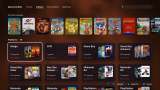


About RommPS
For people running their own RomM server. Browse its library on the console or from another device, download games and BIOS files into the right emulator folders, and keep saves and save states in sync. A background payload uploads saves as soon as they change and pulls down a game's saves when it finishes downloading. Save states only go to an emulator that can load them, and save sync can be turned off if you only want the games.
There are presets for RetroArch, pSNES, pNES, pGEN, pGBA, pFBN, mGBA, SNESUI, EmuSuNi, NPS64, DolphinPS4, Resonance and PS4SX2, and the folders for each platform can be set by hand. The setup connects to the server, has you approve the console in RomM with a QR code or a code, and shows what the first sync will do. Back up your emulator save folders first. An activity log shows what synced, and conflicts can be settled and older versions restored in the app or on the web page. A server behind a client certificate works too: add the .p12 file during setup.
It needs GoldHEN 2.4b18.5 or newer and RomM 5.2.0 or newer.
- Install the package and open RommPS. It copies its payload, romm-sync-ps4.elf, to /data/payloads/.
- In GoldHEN's settings, open the payload menu, run romm-sync-ps4.elf and add it to the AutoRun list so it starts every time.
- Open RommPS again for the web page, which is also at http://<PS4 IP>:8780 from other devices.
Don't send the payload to GoldHEN's network loader on port 9090: the developer says GoldHEN 2.4 crashes on ELFs sent there. Set the console's date and time, or HTTPS won't work. The developer calls the PS4 version experimental. The payload updates itself from Settings. PS4 game saves aren't synced.
Release notes
v1.4.3 · Nov 12, 2026
I fixed a bunch of minor issues as well as some incorrect behavior when syncing certain consoles like the Switch. New UI sounds were added, and a few other enhancements.
Added
- New interface sounds: pick Metal Gear Solid, Paper, Glass, Tones or Off in Settings.
- XPSemu Alpha 3 support: saves sync from its new hard disk folder, and Alpha 2 still works. Thanks to kostas4949. (#46)
- PC games (Windows, DOS and friends) now download with all their files. Thanks to Ribelio. (#42)
Fixed
- Saves are compressed before uploading, so large Switch saves no longer go over RomM's upload limit. Thanks to Ribelio. (#43)
- Games whose RomM entry was deleted, merged or rescanned now find their new entry on their own. Thanks to Ribelio. (#44)
- Switch saves now sync for games without a title id in their file name. Thanks to Ribelio. (#45)
- Switch updates downloaded on their own go to the updates folder instead of showing up as a game.
- The library and covers no longer stay blank after an update until RommPS is reopened.
- BIOS and firmware files you already had now update when RomM's copies change.
- Emulators you don't have no longer show up as installed (PSXS5 next to SwanStationPS5, for one).
- Saves are no longer offered to move into a different emulator's folder, which could cost you a memory card.
- RommPS no longer keeps re-asking RomM for a collection it can't load; it shows the error once.