
R2RETRO v0.5.13 by R2two
Front end for N64, Game Boy, Game Boy Color, GBA, NES and SNES games, with an XMB-style library
Install on your PS4
Package (.pkg): with GoldHEN running, copy R2RETRO-v0.5.13-installer-fix.pkg to the root of a USB drive (exFAT or FAT32), plug it into the PS4 and install it from Settings › Debug Settings › Game › Package Installer.
From a computer or phone: give this link to a remote package sender (GoldHEN's Remote Package Install, or Remote Package Installer on port 12800):
https://store.brewology.com/dl/6344/R2RETRO-v0.5.13-installer-fix.pkg
Files
| File | Size | SHA-256 | |
|---|---|---|---|
| R2RETRO-v0.5.13-installer-fix.pkg | 67.3 MB | f64e3d8c…055f | Download |
Screenshots

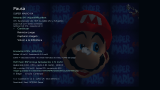
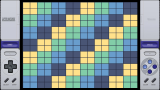

About R2RETRO
Put your own games in /data/R2N64/roms/ or R2N64/roms/ on a USB drive, either loose or in folders named n64, gb, gbc, gba, nes and snes. It doesn't open ZIP files. In the library, Triangle looks for games, L1 and R1 filter by system, and Cross shows a game's details, then starts it. Box art and game info come from libretro when you ask for them.
There are battery saves, five save state slots on everything but the N64, console frames, Game Boy palettes, PNG screenshots and fast-forward on R2. OPTIONS pauses on the N64, L3 + R3 on the rest. Go back to the library from the pause menu so your game saves and closes properly.
The developer calls it experimental: full speed isn't promised, N64 performance on the PS4 is still being worked on, and for now it's one controller with no rumble. Install new versions over the old one without uninstalling.
Release notes
v0.5.13 · R2RETRO v0.5.13 · Instalación directa de actualizaciones · Oct 8, 2026
R2RETRO v0.5.13 · Instalación directa de actualizaciones (sin BGFT)
Versión experimental para PS4 homebrew. Incluye N64, NES, SNES, GB, GBC y GBA. No incluye ROMs comerciales ni BIOS externas.
Novedades
- Autoactualización sin BGFT. El registro en el servicio de descargas devolvía
0x80990088(«contenido ya existe») con cualquier combinación de parámetros. El instalador ahora usa el método directo de flatz:sceAppInstUtilAppPrepareOverwritePkg+sceAppInstUtilAppInstallPkg, que mueve el PKG a/user/app/<title id>/app.pkgsin copia intermedia de BGFT.
Instalación
Instala manualmente por USB o FTP + Package Installer HDD de GoldHEN, sobre la versión anterior y sin desinstalar. Se conservan Title ID RNTD00064, Content ID IV0001-RNTD00064_00-R2N64APP00000001 y datos /data/R2N64.
Paquete y verificación
- Archivo:
R2RETRO-v0.5.13-installer-fix.pkg. - Tamaño: 70.582.272 bytes (67,31 MiB).
- APP_VER / SFO: 00.63.
- SHA-256:
f64e3d8cfeb6e8d9fd57846f87624aa5482ffee4a67bf237a6461127c306055f
Se adjuntan PKG, suma SHA-256 y build-info-v0.5.13.json.
Pruebas y límites
- Compilación PS4 con OpenOrbis/PacBrew y paquete extraído/validado.
- La autoactualización sobre sí misma queda pendiente de confirmación física completa; el método directo puede requerir preasignación de sectores contiguos si el PKG no arranca tras instalar.