

PS4-P8 v0.5.0 by voliva
Plays PICO-8 cartridges on the PS4, with save states, CRT and dot-matrix filters and the featured carts from the PICO-8 BBS
Install on your PS4
Package (.pkg): with GoldHEN running, copy ps4-p8.pkg to the root of a USB drive (exFAT or FAT32), plug it into the PS4 and install it from Settings › Debug Settings › Game › Package Installer.
From a computer or phone: give this link to a remote package sender (GoldHEN's Remote Package Install, or Remote Package Installer on port 12800):
https://store.brewology.com/dl/16579/ps4-p8.pkg
Files
| File | Size | SHA-256 | |
|---|---|---|---|
| ps4-p8.pkg | 6.9 MB | 2ebfe6ed…e207 | Download |
Screenshots
About PS4-P8
An emulator for PICO-8, Lexaloffle's fantasy console, that loads built cartridges in .p8.png form. It runs them on its own Lua interpreter, changed to match PICO-8's Lua, with 16-bit fixed-point maths like the real thing and 90 of PICO-8's 105 built-in functions. The author calls it unfinished: compatibility is still limited, but many cartridges run, and the developer keeps a list of playable ones in PlayableCartridges.md.
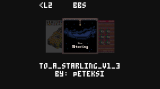
A set of free games comes with it, among them Celeste, Mine Walker, To a Starling, Flip Knight, PakPok and Phoenix. Put more .p8.png cartridges in /data/p8-cartridges and the app picks them up. A tab on the main menu fetches the featured cartridges from the PICO-8 BBS, and another the newest ones.
Each cartridge gets one save state, kept on the console, and games that use PICO-8's own saves keep them. The options menu has CRT and dot-matrix filters, volume and a switch to swap the Cross and Circle buttons. Sound effects and music play, but some sound filters (damp, buzz, reverb) are missing. To make your own games you need Lexaloffle's PICO-8.
Release notes
v0.5.0 · Oct 17, 2025
Features
- New options menu
- CRT/DOT matrix filters
- Volume control
- Invert O/X button controls
Compatibility fixes
- math functions (ceil, sqrt, sin, cos) can take optional parameters