

PS MTP Explorer v2.0.0 by nueex
File manager for an Android phone plugged in by USB, a USB drive and the internal drive, with package installs from any of them
Install on your PS4
Package (.pkg): with GoldHEN running, copy PS-MTP-Explorer-2.0.0.pkg to the root of a USB drive (exFAT or FAT32), plug it into the PS4 and install it from Settings › Debug Settings › Game › Package Installer.
Files
| File | Size | SHA-256 | |
|---|---|---|---|
| PS-MTP-Explorer-2.0.0.pkg | 6.3 MB | not copied yet | On GitHub |
Screenshots

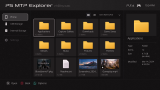
About PS MTP Explorer
Plug an Android phone into the PS4 with a USB data cable, unlock it and pick File Transfer (MTP) in its USB options. No app is needed on the phone. iPhones don't work.
Files and whole folders can be copied, moved, renamed and deleted between the phone, a USB drive and the internal drive, and you can make new folders. On the internal drive, stick to writable places like /data. Highlight a .pkg and press X to install it. A package on the phone gets a temporary copy on the internal drive first, so leave room for that copy and the installed content. Keep the phone connected and the app open until it finishes.
Controls:
- D-Pad: move around
- X: open a folder, install a .pkg, or show a file's properties
- Circle: back or cancel
- Triangle or Options: options menu
- L3: grid or list view
- L1 / R1: previous or next page
- L2 / R2: switch between the phone's storage areas
- Touchpad: refresh
nueex has run it on firmware 9.00, 9.60, 10.01, 11.00 and 13.52 with GoldHEN.
Files and whole folders can be copied, moved, renamed and deleted between the phone, a USB drive and the internal drive, and you can make new folders. On the internal drive, stick to writable places like /data. Highlight a .pkg and press X to install it. A package on the phone gets a temporary copy on the internal drive first, so leave room for that copy and the installed content. Keep the phone connected and the app open until it finishes.
Controls:
- D-Pad: move around
- X: open a folder, install a .pkg, or show a file's properties
- Circle: back or cancel
- Triangle or Options: options menu
- L3: grid or list view
- L1 / R1: previous or next page
- L2 / R2: switch between the phone's storage areas
- Touchpad: refresh
nueex has run it on firmware 9.00, 9.60, 10.01, 11.00 and 13.52 with GoldHEN.
Release notes
v2.0.0 · PS MTP Explorer v2.0.0 · Oct 31, 2026
What's Changed
Bug Fixes
- Fixed Android MTP discovery and reconnection through descriptor validation and USB configuration handling.
- Fixed transfer and installation UI stalls by moving blocking work off the rendering thread.
- Corrected transfer speed and elapsed-time readings with the native monotonic clock.
- Prevented controller disconnections from cancelling transfers and added safe pause and resume validation.
- Fixed restrictive permissions on newly copied files and folders so external tools can modify them.
- Clarified installation failures with native error codes and storage diagnostics.
Improvements
- Improved shutdown with ordered subsystem cleanup, bounded worker joins and safe resource retention.
- Improved transfer efficiency with overlapping reads, writes and hashing, reusable buffers and optional Speed Boost.
- Unified fast size and sampled verification across phone, internal storage and USB transfers.
- Added direct phone installation alongside the default copy-to-HDD mode.
- Hardened image previews with an updated decoder, memory limits and application stack protection.
- Added persistent preferences, native PlayStation text input and copy/move notifications.
- Added update checks so you can update directly from the app.