

ProsperoMenu v0.1.0-beta by Fraudware
Menu that slides out over the home screen, apps and games: app shortcuts, plugins, files, fan control, themes and power
Install on your PS4
Archive (.zip): download ProsperoMenu-PS4-Beta.zip under Files and extract it on a computer. A .pkg inside installs from a USB drive as above; a .bin or .elf payload goes to a payload loader. The release notes say which file to use.
Files
| File | Size | SHA-256 | |
|---|---|---|---|
| ProsperoMenu-PS4-Beta.zip | 147 KB | 119c04e4…fd0b | Download |
Screenshots
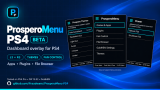
About ProsperoMenu
A PS4 port of StonedModder's Prospero-Menu for the PS5. The menu is drawn by the system's own ShellUI, so it opens on the left of the screen over the home screen, apps and running games, and only takes the controller while it's open. L3 + R3 opens and closes it, the D-pad moves, Cross picks and Circle goes back.
Its pages start apps, show GoldHEN plugins and switch them on or off, browse files and install a package after asking, set the fan's temperature trigger, change the menu's colours or open the PS4's theme settings, open GoldHEN's settings, and restart or shut down the console.
- Copy pm_shellui_keeper.prx to /data/GoldHEN/plugins/pm_pkg23_keeper.prx and pm_shellui_marker.prx to /data/GoldHEN/plugins/pm_pkg23_marker.prx, renamed like that.
- With GoldHEN running, send pm_shellui_start.bin to the payload loader on port 9090.
- Press L3 + R3.
It's a beta, and the developer has only run it on a PS4 Pro on firmware 13.52 with GoldHEN. The loader refuses other firmware. The app list is a fixed one, not the titles on your console, the developer hasn't confirmed that package installs from the file browser go all the way through, and switching plugins can cut long lines or big files in the plugin configuration, so back that up first. A failed load can freeze the home screen until you reboot, and the menu has to be started again after every restart.
Release notes
v0.1.0-beta · ProsperoMenu PS4 Beta · Nov 1, 2026
PS4 dashboard overlay with app shortcuts, plugin controls, file browsing, fan controls, and themes.
Tested on PS4 Pro running firmware 13.52 with GoldHEN. Other firmware compatibility is unverified; this build’s loader checks for 13.52.
Download and installation
Download ProsperoMenu-PS4-Beta.zip for the complete beta, or the two .prx modules and .bin starter separately. Follow INSTALL.md for exact console paths and filenames. Press L3 + R3 to open the menu.
Known issues
- App launching uses a fixed catalog.
- Complete package installation through the File Browser remains unverified.
- Plugin toggling can truncate long configuration lines or large files; a correction is pending. Back up plugin configuration before testing.
A failed overlay load can freeze the dashboard and require a reboot. The overlay needs to be loaded again after restarting the console.
Based on Prospero-Menu by StonedModder. GPL-3.0-or-later.
Binary SHA-256 values are included in RELEASE.json.