

OrbisKit v1.04 by hiya1985
File manager, web file manager, payload sender, app list and system tools in one app, with music and video players
Install on your PS4
Package (.pkg): with GoldHEN running, copy OrbisKit-v1.04.pkg to the root of a USB drive (exFAT or FAT32), plug it into the PS4 and install it from Settings › Debug Settings › Game › Package Installer.
From a computer or phone: give this link to a remote package sender (GoldHEN's Remote Package Install, or Remote Package Installer on port 12800):
https://store.brewology.com/dl/18508/OrbisKit-v1.04.pkg
Files
| File | Size | SHA-256 | |
|---|---|---|---|
| OrbisKit-v1.04.pkg | 6.3 MB | 90da450c…9343 | Download |
Screenshots
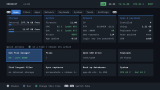
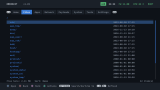
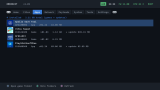
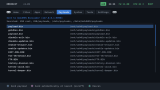
About OrbisKit
The Files tab covers the internal drive and USB drives: copy, move, delete, rename and new folders, zip and unzip, search, bookmarks, a two-panel view on R3, and viewers for text, hex and pictures. Long jobs run in the background and can be cancelled. Music in MP3, FLAC, WAV, OGG or M4A keeps playing while you use the rest of the app, and MP4, M4V and MOV videos play full screen with sound.
The web file manager answers at http://<ps4-ip>:8080 in any browser on your network, for browsing, uploads and downloads, a search of the whole console, a payload sender and a gallery of the pictures on your USB drives. It has no password, so use it on your home network only and stop it when you're done. For FTP, use GoldHEN's own server on port 2121.
Payloads lists the .bin files on USB, in /data/payloads and in /data/GoldHEN/payloads and sends them to GoldHEN's BinLoader, and Square marks one to be sent every time the app starts. Apps lists every installed game and app with its sizes and folders, and System shows the firmware, temperatures, free space and uptime. Tools copies screenshots and videos to USB, backs up the system databases and /user/home to USB, finds the largest files, and Find leftovers lists .pkg files whose game, update or DLC is already installed.
- L1 / R1: switch tabs
- X: open, confirm or run
- Circle: up a folder, cancel or close
- Square: mark an item
- Triangle: actions menu in Files, tile action on Home
- Options: folder menu with search, sort and bookmarks
- R3: one or two panels
- Touchpad: music player
To upgrade, delete the old version and install the new one: your settings in /data/OrbisKit are kept. Delete can't be undone, so take care in /system, where damaged files can stop the console from booting. The developer says it works on any firmware GoldHEN supports.
Release notes
v1.04 · OrbisKit 1.04 · Nov 19, 2026
All-in-one homebrew utility for jailbroken PS4 with GoldHEN. Works on any firmware that GoldHEN supports.
New in 1.04
- Package installer: press X on a
.pkgin Files (or Install package from the menu) to install a game, update or DLC from internal storage or USB. The web file manager gets a per-row install button, so you can upload a.pkgfrom your PC and install it. It uses the PS4's own installer (the one in Debug Settings); progress shows in Notifications > Downloads, and OrbisKit tells you when each install finishes.
Everything from 1.03 (music and video player, two-panel file manager, find leftovers, whole-console web search, USB picture gallery) is included.
Install
Copy OrbisKit-v1.04.pkg to a USB drive and install it from Settings > Debug Settings > Game > Package Installer.
Upgrading from an earlier version: delete the installed OrbisKit first, then install this package. The Package Installer won't lay a new version over an existing one, and GoldHEN doesn't accept update packages for homebrew — so a full reinstall is the only way to update. Your settings and data in /data/OrbisKit are kept.
The web file manager has no password. Use it only on your home network and stop it when you're done.