

openMSX v0.2 by gen04177
Port of the openMSX emulator, with the controller for its menus and a keyboard for the games
Install on your PS4
Package (.pkg): with GoldHEN running, copy IV0000-BGEN00073_00-OPENMSXPS4000000.pkg to the root of a USB drive (exFAT or FAT32), plug it into the PS4 and install it from Settings › Debug Settings › Game › Package Installer.
From a computer or phone: give this link to a remote package sender (GoldHEN's Remote Package Install, or Remote Package Installer on port 12800):
https://store.brewology.com/dl/6131/IV0000-BGEN00073_00-OPENMSXPS4000000.pkg
Files
| File | Size | SHA-256 | |
|---|---|---|---|
| IV0000-BGEN00073_00-OPENMSXPS4000000.pkg | 114.1 MB | 61e59b69…ea72 | Download |
Screenshots
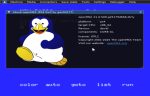
About openMSX
The controller only drives the emulator's menu: the left stick moves the cursor, Cross is left-click, Circle is right-click and the right stick scrolls. MSX games, BASIC and MSX-DOS all expect a keyboard, and the developer recommends one.