

NP2kai v1.0 by EmiiBytee
NEC PC-98 emulator built on NP2kai, with controls per game and USB keyboard support
Install on your PS4
Package (.pkg): with GoldHEN running, copy IV0000-BREW00984_00-NP2KAIBOOTSTRAP0.pkg to the root of a USB drive (exFAT or FAT32), plug it into the PS4 and install it from Settings › Debug Settings › Game › Package Installer.
From a computer or phone: give this link to a remote package sender (GoldHEN's Remote Package Install, or Remote Package Installer on port 12800):
https://store.brewology.com/dl/6126/IV0000-BREW00984_00-NP2KAIBOOTSTRAP0.pkg
Files
| File | Size | SHA-256 | |
|---|---|---|---|
| IV0000-BREW00984_00-NP2KAIBOOTSTRAP0.pkg | 8.7 MB | 78be5832…3063 | Download |
Screenshots
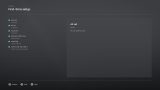
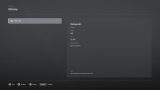
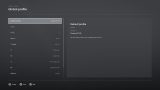
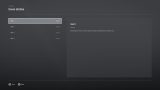
About NP2kai
PC-98 games expect a keyboard. A USB keyboard plugged into the PS4 works, and every DualShock 4 button can be mapped to any PC-98 key, with one global profile and one per game. The right stick moves the mouse, with L2 and R2 as its buttons.
L3 + R3 pauses, with four save state slots per game, disc swapping and the way back to the library. If a game starts but shows a PC-98 error, deleting /data/np2kai-runtime/system/np2kai/np2kai.cfg resets the emulated machine. The guide is in Spanish.
Release notes
v1.0 · NP2kai PS4 v1.0 · Jul 28, 2026
NP2kai PS4 v1.0
Primera versión pública estable del port de NP2kai para PlayStation 4.
Incluye
- Biblioteca de imágenes PC-98.
- Frontend nativo para PS4.
- Perfiles de mando globales y por juego.
- Selector completo de teclas PC-98.
- Compatibilidad con teclado USB.
- Estados de guardado con cuatro ranuras por juego.
- Cambio de disco desde el menú de pausa.
- Diagnóstico de rendimiento y audio.
- Cuatro temas de interfaz.
- Asistente de primera ejecución.
- Registros persistentes para diagnóstico.
Instalación
Descarga IV0000-BREW00984_00-NP2KAIBOOTSTRAP0.pkg, cópialo ahdd:/data/pkg/ e instálalo desde el gestor de paquetes de GoldHEN.
El paquete no incluye BIOS, fuentes del PC-98 ni juegos.
Estado
Probado en consola real. Puede contener bugs o incompatibilidades todavía no
descubiertas; informa de ellos mediante los issues del repositorio.