
HYPNOTIC v0.79 by viktor23423512
Music player for a USB drive with ten built-in visualizers and 130 MilkDrop presets, and room for your own .milk files
Install on your PS4
Package (.pkg): with GoldHEN running, copy HYPNOTIC-0.79.pkg to the root of a USB drive (exFAT or FAT32), plug it into the PS4 and install it from Settings › Debug Settings › Game › Package Installer.
From a computer or phone: give this link to a remote package sender (GoldHEN's Remote Package Install, or Remote Package Installer on port 12800):
https://store.brewology.com/dl/18500/HYPNOTIC-0.79.pkg
Files
| File | Size | SHA-256 | |
|---|---|---|---|
| HYPNOTIC-0.79.pkg | 37.9 MB | 475e7a14…e96e | Download |
Screenshots


About HYPNOTIC
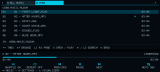
Plays WAV, MP3, FLAC and Ogg Vorbis from a USB drive, mono or stereo at up to 48 kHz. Plug the drive in before you start the app. Music can be anywhere on it, and folders without music are hidden. There's folder browsing, a filename search, shuffle and repeat, and L2 and R2 seek faster the harder you press. It reads the drive at start-up, up to 4,096 tracks, so restart it after changing your music.
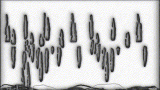
The pictures come from ten built-in visualizers and 130 MilkDrop presets picked from the Cream of the Crop pack. Favourites and recent presets are remembered, and AUTO moves to the next preset every 5 seconds to 10 minutes. Your own presets go in HYPNOTIC/presets on the USB drive or in /data/hypnotic/presets: open Visualizers, Imported and press Square to rescan. Some won't load, as they need textures or effects it can't do yet. Mic Mode draws from a headset microphone on a controller paired with the PS4.
- Touchpad right / left click: music / search
- Triangle: visualizers
- D-pad, Cross, Circle: browse, play or apply, back
- L1 / R1: change preset, or page through tracks
- L2 / R2: seek back / forward
- Square in Music: Mic Mode
- R3 in Visualizers: favourite
- L3: pin the on-screen controls, or search in a browser
- Options: settings, themes, fonts and the microphone meter
It draws at 1080p, and the developer says heavy presets can drop below 60 fps. They call the builds development pre-releases. Close the app before installing an update.
Release notes
v0.79 · HYPNOTIC 0.79 · Nov 19, 2026
- Added separate Retro and Modern interface styles.
- Added four colours and three fonts, bringing the totals to nine colour palettes and six fonts. Font choice is saved separately for each style.
- Modern includes rounded opaque panels, compact tabs and a circular play/pause button.
- Fixed clipped Shuffle, Repeat and Auto labels with Dot Matrix and other wider fonts.
- Retained the existing Retro music, preset and playback layouts.
Install HYPNOTIC-0.79.pkg. The matching source snapshot is HYPNOTIC-0.79-source.zip; see its BUILDING notes for dependency limitations. SHA256SUMS.txt contains checksums.
Local checks and package verification passed. The 0.79 PS4 retest is still pending. A previously reported intermittent console shutdown on app close remains unresolved.
Close HYPNOTIC before installing.