
FPKGi+ v01.00 by jw-notes
Browse, download and install PS4 homebrew from the console, with covers, details and a download queue.
Install on your PS4
Package (.pkg): with GoldHEN running, copy IV0000-FPKP00001_00-FPKGIPLUS0000000.pkg to the root of a USB drive (exFAT or FAT32), plug it into the PS4 and install it from Settings › Debug Settings › Game › Package Installer.
From a computer or phone: give this link to a remote package sender (GoldHEN's Remote Package Install, or Remote Package Installer on port 12800):
https://store.brewology.com/dl/19322/IV0000-FPKP00001_00-FPKGIPLUS0000000.pkg
Files
| File | Size | SHA-256 | |
|---|---|---|---|
| IV0000-FPKP00001_00-FPKGIPLUS0000000.pkg | 16.4 MB | 9166ab5b…ba4d | Download |
Screenshots


About FPKGi+
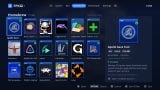
FPKGi+ is a package browser, downloader and installer for a PS4 with GoldHEN. It comes with a list of 17 open-source apps, games and emulators, among them Apollo Save Tool, RetroArch, DolphinPS4 and Librarian, each downloaded from its project's own GitHub releases.
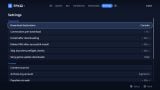
Downloads resume, can use up to 8 connections, and go to the console or a USB drive. The queue is kept when you close the app. FPKGi+ can install a package once it's downloaded, launch or delete installed titles, and tell you when installed homebrew has a newer release on GitHub. It has two themes, Modern and Retro arcade.
No games or PKGs come with it.
- Copy the PKG to a USB drive or send it to the console.
- Install it from Debug Settings > Game > Package Installer.
- Start FPKGi+ from the home screen.
USB drives need GoldHEN 2.3 or later. New versions of FPKGi+ show up in Settings > Software update and download to /data/pkg. Install them the same way.
FPKGi+ isn't affiliated with Sony.
Release notes
v01.00 · Nov 17, 2026
First release of FPKGi+, a package browser, downloader and installer for jailbroken PS4 consoles.
No games or PKGs are included. FPKGi+ ships only a list of open-source homebrew, linked to each project's own GitHub releases. Anything else comes from content lists you add yourself in Settings > Content sources.
Install
- Download
IV0000-FPKP00001_00-FPKGIPLUS0000000.pkgbelow. - Install it with GoldHEN's Package Installer (Debug Settings > Game > Package Installer).
Requires GoldHEN (2.3 or later for USB drives).
Highlights
- Browse FPKGi-format content lists with cover art, details and PS1 / PS2 / PSP / PS4 cases
- Resumable downloads with up to 8 connections, to the console or a USB drive
- Install, launch, update and delete titles from inside the app
- Built-in list of open-source homebrew, with update checks against each project's latest release
- FPKGi+ checks this repository for its own updates (Settings > System > Software update); install them with the Package Installer
- Modern and Retro arcade themes
See the README for setup, the content-list format and controls.
SHA-256 of the PKG: 9166ab5ba7d832a9d8c91b7992420e853d46a545d5a1062707af21fd60edba4d